
NETGEAR WNDR4300v2 N750 Wireless Router Quick Start Guide

This document provides a quick start guide for using the NETGEAR N750 Wireless Router, model WNDR4300v2. It includes steps for connecting the stand, connecting the modem, connecting devices, and logging into the router.
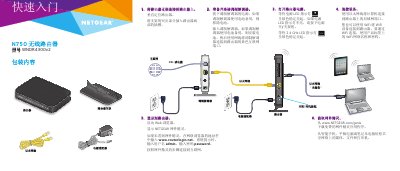

NETGEAR WNDR4300v2 N750 Wireless Router Quick Start Guide - cover page
Brand
NETGEAR
Category
Router
Document type
Quick Start Guide
Language
Chinese
Pages
2
File format
PDF
File size
1.6 MB
Published
27 October, 2022
Updated
27 September, 2023
MD5 checksum
1DD549F362801033301F3EFD401503DD

About this manual

This document serves as a quick start guide for the NETGEAR N750 Wireless Router (Model WNDR4300v2). It outlines the essential steps to set up the device, including mounting the stand, connecting power and network cables, and accessing the router's web interface. This manual is written in Chinese.

What's inside

  • Package Contents
  • Mounting the Stand
  • Connecting Modem
  • Connecting Devices
  • Power On
  • Accessing Router Login
  • Getting NETGEAR Genie
  • WiFi Settings

Frequently asked questions

What is the default username and password for the router?

The default username is admin and the default password is password.

What is the default username and password to log into the router?

The default username is admin and the default password is password.

How long do you have to press the WPS button on your device after pressing the router's WPS button?

You must press the device's WPS button within two minutes.

What is the default Web address to access the router login page?

You should enter www.routerlogin.net in the browser address bar.

Download PDF (1.6 MB)

More NETGEAR Manuals


View all NETGEAR manuals →