
The NETGEAR WNDR3800 router user manual provides step‑by‑step setup, internet configuration, wireless settings, and troubleshooting.
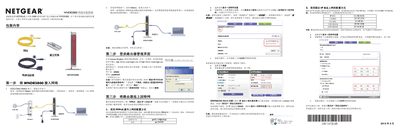
This manual guides you through the complete installation of the NETGEAR WNDR3800 N600 dual‑band gigabit router, from unpacking and connecting the hardware to logging into the management interface and configuring internet access. It also explains how to use the pre‑set wireless SSID and password, and how to connect Windows computers to the Wi‑Fi network.
Additional sections cover the router’s indicator lights and ports, the factory‑reset procedure, and the ReadyShare USB printing feature. Technical support contact information and a link to the Chinese NETGEAR website are provided at the end. This manual is written in Chinese.
| Ethernet ports | 4 auto‑negotiating 10/100/1000 Mbps |
|---|---|
| USB interface | Supports USB 1.0/1.1 |
| Power indicator colors | Orange during startup, green when stable |
| WAN port indicator | Green when connected |
Press and hold the reset button (located in the red hole on the bottom of the router) for about 5 seconds until the power LED flashes, then release.