
NETGEAR WNDR3800 N600 Wireless Router Installation Guide

This document explains how to set up and connect the N600 wireless router, as well as the steps to connect it to a modem.
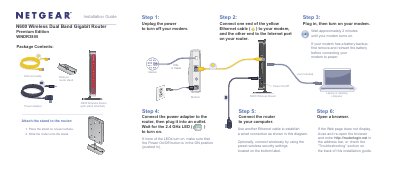

NETGEAR WNDR3800 N600 Wireless Router Installation Guide - cover page
Brand
NETGEAR
Category
Router
Document type
Installation Guide
Language
English
Pages
2
File format
PDF
File size
817 KB
Published
14 September, 2022
Updated
28 September, 2023
MD5 checksum
35DFFB46E8A8E1B09D860C29A6CF63B8

About this manual

This document is an installation guide for the NETGEAR WNDR3800 N600 Wireless Dual Band Gigabit Router Premium Edition. It details how to connect the modem, router, and computer using Ethernet cables or wireless connections.

The guide explains how to power on the device, attach the optional slide-on stand, and access the setup web page at http://routerlogin.net. It also covers connecting wireless devices manually or via WPS (WiFi Protected Setup) and provides troubleshooting steps if the browser fails to display the configuration page.

What's inside

  • Package Contents
  • Power On/Off
  • Connect the Router
  • Preset Wireless Security
  • Connect Wireless Devices
  • Troubleshooting

Frequently asked questions

What is the default user name and password to log into the router?

The default user name is admin and the default password is password.

How long should you wait for the modem to turn on before connecting it to power?

You should wait approximately 2 minutes until your modem turns on.

How long do you have to press the WPS button on the client device after pressing it on the router?

You must press the WPS button on the client device within 2 minutes.

Download PDF (817 KB)

More NETGEAR Manuals


View all NETGEAR manuals →