
Key facts
- Brand
- Grandstream
- Model
- WP810
- Category
- Telephone
- Industry
- Electronics
- Documents
- 3
- Languages
- MUL · ZH
- Last added
- 2026-11-10
Start here
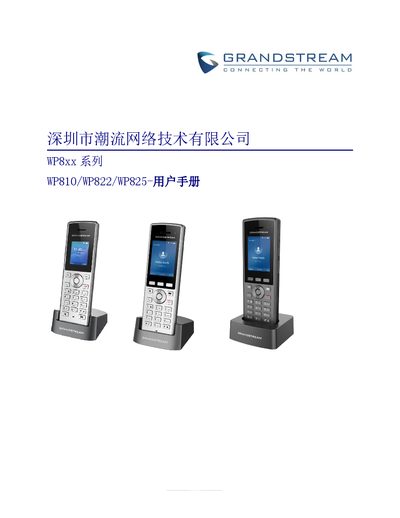
Grandstream WP810/WP822/WP825 Portable Enterprise Wi-Fi Phone User Manual
This user manual provides comprehensive instructions for the Grandstream WP810, WP822, and WP825 portable enterprise Wi-Fi phones. It covers the product overview, installation steps, and detailed configuration via the Web interface. The guide explains how to set up SIP accounts, manage network settings, and customize device preferences such as language, ringtone, and display timeout. This manual is written in Chinese.
Read onlineGrandstream WP810 specifications
| Wi-Fi | Dual-band 802.11a/b/g/n/ac |
|---|---|
| Operating temperature | -20 to 60 C |
| Operating humidity | 10-90% RH (non-condensing) |
| Power adapter | 5V |
| Headset jack | 3.5 mm |
Source: Grandstream WP810 Cordless Wi-Fi IP Phone Quick Installation Guide
All Grandstream WP810 documents by type
Day-to-day operation, settings and troubleshooting. Start here if the product is already set up.
Questions answered in these manuals
How do I connect the WP810 to a Wi-Fi network?
On the LCD menu, press the Menu key and navigate to Settings, Network Settings, then Wi-Fi; turn Wi-Fi on, open Wi-Fi Settings, select the desired network, and enter the password if requested.
From: Grandstream WP810 Cordless Wi-Fi IP Phone Quick Installation Guide
How do I access the WP810 web configuration interface?
Press the UP button to see the IP address, type that IP address into a PC browser on the same network, then enter the admin username and password.
From: Grandstream WP810 Cordless Wi-Fi IP Phone Quick Installation Guide
How do I restore the device to factory settings?
You can reset the device via the phone menu by navigating to Settings -> Advanced Settings -> Factory Reset, or through the Web GUI under Maintenance -> Tools.
From: Grandstream WP810/WP822/WP825 Portable Enterprise Wi-Fi Phone User Manual
What voice codecs are supported?
The device supports G.711, G.729A/B, G.722, iLBC, and Opus voice coding.
From: Grandstream WP810/WP822/WP825 Portable Enterprise Wi-Fi Phone User Manual
How do I restore the device to factory settings?
You can reset the device via the LCD menu by navigating to Settings > Advanced Settings > Factory Reset, or through the Web GUI under Maintenance > Tools.
From: Grandstream WP810 Enterprise Portable Wi-Fi Phone User Manual
What are the supported voice codecs?
The WP810 supports G.711μ/a, G.729A/B, G.722, iLBC, and Opus, among others.
From: Grandstream WP810 Enterprise Portable Wi-Fi Phone User Manual