
Key facts
- Brand
- Grandstream
- Model
- GXV3140
- Industry
- Computers
- Documents
- 3
- Languages
- EN
- Last added
- 2012-05-11
Start here
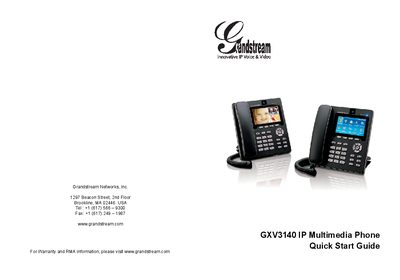
Grandstream GXV3140 IP Multimedia Phone Quick Start Guide
The GXV3140 is an IP multimedia phone designed for voice and video calls over a SIP network. This Quick Start Guide walks users through unpacking, safety precautions, hardware installation, and basic operation.
Key sections cover package contents, power‑adapter warnings, connecting the handset, LAN and power cables, keypad usage, and configuring the phone via a web browser or the keypad menu. The guide also notes that the device does not support emergency calling and must be used with a SIP‑compatible service.
Grandstream GXV3140 specifications
| Power Supply | 12V DC output plug |
|---|---|
| Network Interface | LAN port (Ethernet) |
| Power Adapter | Only the included adapter should be used |
| SIP Technology | Configuration‑free Plug‑and‑Call via peer‑to‑peer SIP |
Source: Grandstream GXV3140 IP Multimedia Phone Quick Start Guide
All Grandstream GXV3140 documents by type
Day-to-day operation, settings and troubleshooting. Start here if the product is already set up.
The shortest path to a working setup, usually only a few pages.
Questions answered in these manuals
What power adapter should I use with the GXV3140?
Only the power adapter that comes with the GXV3140 should be used; other adapters may damage the unit.
From: Grandstream GXV3140 IP Multimedia Phone Quick Start Guide
How do I make a call on the GXV3140?
Take the handset off hook or use the speaker/headset, select the desired account with the LINE button, dial the number, then press the SEND softkey or the call button.
From: Grandstream GXV3140 IP Multimedia Phone Quick User Guide
How can I answer an incoming call?
Lift the handset, press the “Accept” softkey with a headset, or press the SPEAKER button to answer using the speaker.
From: Grandstream GXV3140 IP Multimedia Phone Quick User Guide
How do I reset the GXV3140 to factory settings?
Use the web UI: click on the “Reset” button for Factory reset and confirm the dialog.
How can I upgrade the phone’s firmware?
Firmware can be upgraded via the keypad menu or through the web browser configuration page.