
Key facts
- Brand
- Grandstream
- Model
- GXV3380
- Industry
- Electronics
- Documents
- 2
- Languages
- ZH
- Last added
- 2026-10-29
Start here
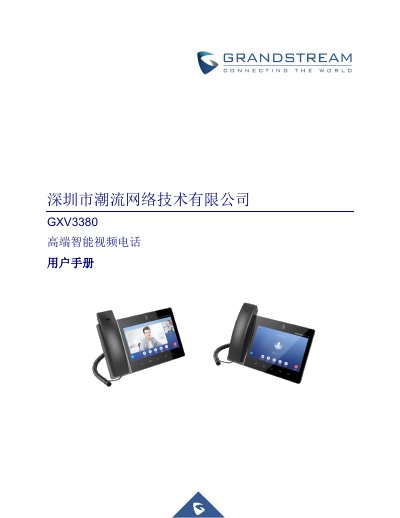
Grandstream GXV3380 IP Phone User Manual
The Grandstream GXV3380 is a high-end intelligent video phone featuring an 8-inch HD capacitive touchscreen. It supports dual-band Wi-Fi (2.4 & 5GHz), Bluetooth 4.2+EDR, and multiple network protocols including SIP, IPv6, and OpenVPN.
The manual provides instructions on installing the device, configuring SIP accounts, managing contacts and call logs, and using advanced features such as conferencing, call forwarding, and recording. It also covers file management, camera usage, and connecting to various peripherals like USB headsets and Micro SD cards. This manual is written in Chinese.
Grandstream GXV3380 specifications
| Display | 8-inch HD capacitive touchscreen, 5-point touch, resolution of 1280x800 |
|---|---|
| Camera | Built-in tiltable megapixel CMOS camera with privacy cover, 1080P@30fps |
| Wi-Fi | Dual-band 2.4 & 5GHz (802.11 a/b/g/n/ac) |
| Bluetooth | Built-in integrated Bluetooth 4.2+EDR |
| Operating System | Android 7.1.1 |
| Video Resolution | Up to 1080pHD, frame rate up to 30fps |
| Network Interfaces | Two 10/100/1000Mbps switchable adaptive Ethernet interfaces, PoE/PoE+ |
| Audio Codecs | G.711µ/a, G.722 (wide-band), G.726-32, iLBC, Opus, G.729A/B |
All Grandstream GXV3380 documents by type
Day-to-day operation, settings and troubleshooting. Start here if the product is already set up.
Questions answered in these manuals
What is the resolution of the GXV3380 display?
The display has a resolution of 1280x800.
Does the GXV3380 support video calls?
Yes, it supports HD video with a resolution up to 1080pHD at 30fps.
Who is the intended audience for this manual?
The document states that the expected readers are VoIP administrators.
How can I reset the device to factory defaults using hard buttons?
Restart the phone, wait for the LED to turn green and stay on for about 2 seconds, then press the Volume + and Menu keys simultaneously.