
Key facts
- Brand
- Grandstream
- Model
- GXW40XX
- Industry
- Computers
- Documents
- 2
- Languages
- EN
- Last added
- 2012-05-11
Start here
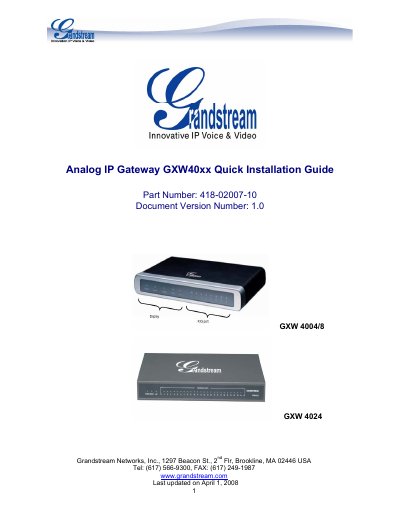
Grandstream GXW40xx Analog IP Gateway Quick Installation Guide
The GXW40xx series is a compact, fan‑less analog IP gateway offering 4, 8 or 24 FXS ports, dual 10/100 Mbps network ports, optional PSTN line, and RS‑232 serial management. This quick installation guide walks you through unpacking, connecting power, phones, and network, and accessing the web interface for configuration.
Key steps include connecting analog phones to FXS ports, attaching the supplied 12 V power adapter, linking the device to a LAN or WAN port, and using a web browser to log in (default address 192.168.2.1, username admin) to set IP, SIP server, NAT, and codec options. The guide also covers factory reset and firmware upgrade procedures.
Grandstream GXW40XX specifications
| FXS ports | 4, 8, or 24 |
|---|---|
| Network ports | dual 10/100 Mbps |
| PSTN lifeline | present |
| RS232 serial port | available except GXW4024 |
| Supported codecs | G711, G723.1, G726, G729A/B/E, iLBC |
| Power adapter compliance | UL |
| Safety standards | FCC/CE |
All Grandstream GXW40XX documents by type
Day-to-day operation, settings and troubleshooting. Start here if the product is already set up.
The shortest path to a working setup, usually only a few pages.
Questions answered in these manuals
How do I reset the GXW40XX to factory defaults?
You can reset the device either by pressing the reset button through a pin‑hole on the back panel for about 7 seconds, or by using the IVR command sequence *** → 99 → encoded MAC address.
Can I access the web configuration page after a factory reset?
After a factory reset, WAN side HTTP access is disabled, so the web configuration page can only be accessed from the LAN port.
What power source should I use for the GXW40xx?
Use only the 12 V universal power adapter included in the package; other adapters may damage the unit.
From: Grandstream GXW40xx Analog IP Gateway Quick Installation Guide
How do I access the GXW40xx web configuration interface?
Connect a PC to the LAN port, open a browser to the device’s IP address (default 192.168.2.1) and log in with username admin and password admin.
From: Grandstream GXW40xx Analog IP Gateway Quick Installation Guide