
Key facts
- Brand
- Grandstream
- Model
- HT502
- Industry
- Computers
- Documents
- 4
- Languages
- EN
- Last added
- 2026-11-02
Start here
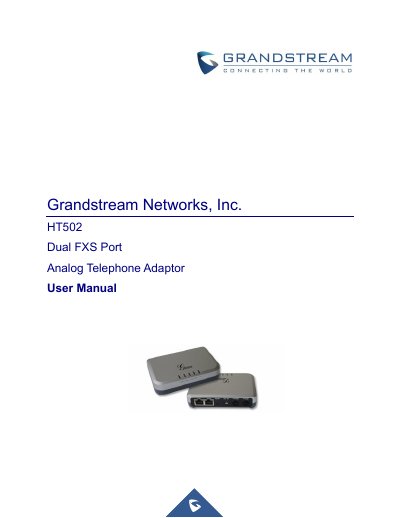
Grandstream HT502 Dual FXS Port Analog Telephone Adaptor User Manual
The Grandstream HT502 is a dual FXS port analog telephone adaptor designed for connecting analog phones to IP networks. This manual provides instructions on connecting the device, understanding its voice prompts, and making phone calls. It details the hardware and software features available on the unit.
Read onlineGrandstream HT502 specifications
| Telephone Interfaces | 2 FXS ports, 2 SIP accounts |
|---|---|
| Network Interface | 1 RJ45 for LAN, 10/100 Base-TX, Full Duplex |
| Voice Compression | G.711, G.723.1A, G.726, G.729A/B/E, iLBC |
| Fax over IP | T.38 compliant |
| Power Input | 100–240 VAC/50-60 Hz |
| Power Output | 12VDC, 0.5A |
| Dimensions | 115mm (L) x 75mm (W) x 27mm (H) |
Source: Grandstream HT502 Analog Telephone Adaptor User Manual
All Grandstream HT502 documents by type
Day-to-day operation, settings and troubleshooting. Start here if the product is already set up.
Questions answered in these manuals
What is the maximum length for a Short Haul Loop?
Up to 1Km on 24 AWG wire.
From: Grandstream HT502 Analog Telephone Adaptor User Manual
How do I reset the HT502 to factory default settings?
Press the Factory Reset button for 7 seconds.
From: Grandstream HT502 Analog Telephone Adaptor User Manual
Can I upgrade the firmware via the web interface?
Yes, the manual describes firmware upgrades through TFTP, HTTP, or HTTPS, and mentions uploading firmware from a local directory in advanced settings.
From: Grandstream HT502 Dual FXS Port Analog Telephone Adaptor User Manual
What is the maximum duration for pressing the reset button to restore factory settings?
You must press and hold the pin in the reset hole for about 7 seconds.
From: Grandstream HT502 Dual FXS Port Analog Telephone Adaptor User Manual