
Key facts
- Brand
- Grandstream
- Model
- GXE502X
- Category
- Other
- Documents
- 2
- Languages
- EN
- Last added
- 2012-05-11
Start here
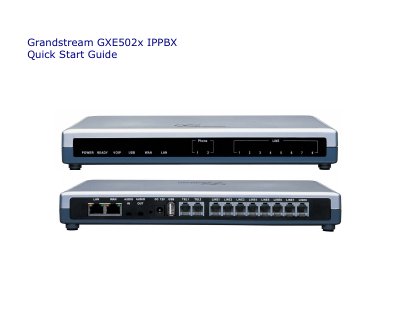
Grandstream GXE502x IP PBX Quick Start Guide
The Quick Start Guide provides step‑by‑step instructions for unpacking the GXE502x, connecting power, Ethernet, and PSTN lines, and powering up the unit. It also explains the initial network setup, including DHCP requirements and the default LAN IP address.
After the hardware is ready, the guide walks you through accessing the web GUI, using the Express Setup wizard, adding extensions manually, and configuring network, system, PSTN, SIP trunk, peer, and call‑routing settings. It includes screenshots and notes on default credentials and LED indicators.
Grandstream GXE502X specifications
| Power Consumption | 15 Watt Max. |
|---|---|
| Power over Ethernet (PoE) | Supported via LAN port |
| Analog Interface | Built‑in FXO and FXS ports |
| Power Adapter | 12 V |
| Conference Rooms (model 5028) | 4 |
All Grandstream GXE502X documents by type
Day-to-day operation, settings and troubleshooting. Start here if the product is already set up.
The shortest path to a working setup, usually only a few pages.
Questions answered in these manuals
How can extensions be added to the GXE502X?
Extensions can be added via the Express Setup wizard or through the Extensions Directory sub‑menu in the web interface.
What is the purpose of a template file?
A template file allows the GXE5000 system administrator to auto‑provision Grandstream devices based on predefined configuration parameters.
How do I access the GXE502x web configuration interface?
Open a web browser and enter the default LAN IP address 192.168.10.1 in the URL field.
What are the default login credentials for the web GUI?
Both the username and password are “admin”.