
Key facts
- Brand
- Grandstream
- Model
- HT802
- Category
- Other Electronics
- Industry
- Electronics
- Documents
- 2
- Languages
- ZH · EN
- Last added
- 2026-10-21
Start here
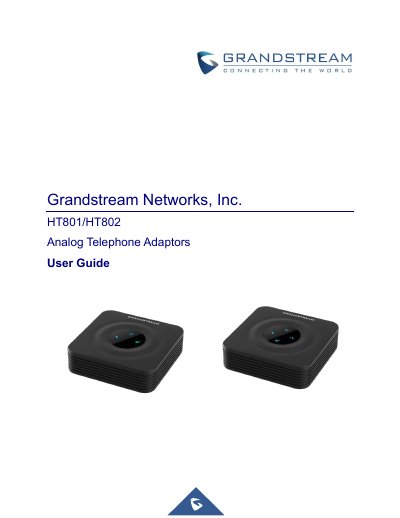
Grandstream HT801/HT802 Analog Telephone Adapter User Guide
This guide provides an overview of the Grandstream HT801 and HT802 analog telephone adapters, describing their hardware interfaces, supported protocols, and key features. It is intended to help users install, configure, and operate the devices in VoIP environments.
The document covers getting started, detailed configuration via the web UI and voice prompts, call handling features, firmware upgrade procedures, and how to restore factory defaults. It also includes technical specifications, LED indicators, and troubleshooting information.
Grandstream HT802 specifications
| Phone Interfaces | 2 FXS interfaces |
|---|---|
| Network Interface | 1 10/100Mbps Ethernet port |
| Power Input | 100-240VAC, 50-60Hz |
| Power Output | 5.0VDC/1.0A |
| Operating Temperature | 0º - 40ºC |
| Dimensions | 100mm x 100mm x 29.5mm |
Source: Grandstream HT802 Dual-Port Analog Telephone Gateway Product Leaflet
All Grandstream HT802 documents by type
Day-to-day operation, settings and troubleshooting. Start here if the product is already set up.
Questions answered in these manuals
What telephone functions does the HT802 support?
It supports call waiting, call hold, busy transfer, specified transfer, forwarding, flash, do not disturb, and three-party conferences.
From: Grandstream HT802 Dual-Port Analog Telephone Gateway Product Leaflet
What security protocols are supported?
The device supports TLS, SIPS, HTTPS, and SRTP for secure media and control.
From: Grandstream HT802 Dual-Port Analog Telephone Gateway Product Leaflet
How do I make an inter‑port call on the HT802?
Dial ***70X where X is the port number (e.g., ***701 for port 1) to call between ports without a SIP server.
From: Grandstream HT801/HT802 Analog Telephone Adapter User Guide