
Key facts
- Brand
- Grandstream
- Model
- GXP-1200
- Category
- Telephone
- Documents
- 2
- Languages
- EN
- Last added
- 2012-05-11
Start here
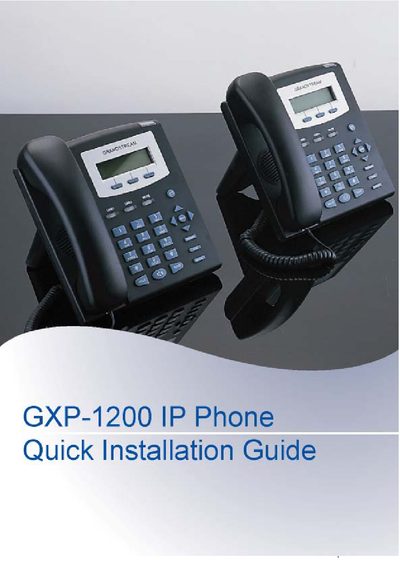
Grandstream GXP-1200 IP Phone Quick Installation Guide
The GXP-1200 is an entry‑level SIP phone with a backlit graphic LCD, two line appearances, three programmable soft‑keys and integrated PoE. This guide walks you through unpacking, connecting the handset, Ethernet cable and power adapter, and mounting the phone on a wall.
It also explains how to access the phone’s web interface for network settings, SIP server configuration, and how to use the keypad menu for basic features such as IP address setup, call history, and factory functions like reboot and reset.
Grandstream GXP-1200 specifications
| Display | Backlit graphic LCD |
|---|---|
| Lines | 2 line appearances |
| Network | 10/100 Mbps RJ‑45 port |
| Power | 5 V DC power adapter (included) |
Source: Grandstream GXP-1200 IP Phone Quick Installation Guide
All Grandstream GXP-1200 documents by type
The shortest path to a working setup, usually only a few pages.
Day-to-day operation, settings and troubleshooting. Start here if the product is already set up.
Questions answered in these manuals
What is the default administrator password?
The default administrator password is “admin”.
From: Grandstream GXP-1200 IP Phone Quick Installation Guide
How do I mount the GXP-1200 on a wall?
Insert the two wall‑mount spacers into the holes on the bottom of the phone, attach the fixed hangers to the wall, and hang the back of the phone on the hangers.
From: Grandstream GXP-1200 IP Phone Quick Installation Guide
Does the GXP-280 support Power over Ethernet?
No, the GXP-280 does not support PoE, while other GXP models do.
How many extension units can the GXP-2000 support?
The GXP-2000 can support up to two extension units, providing up to 112 additional programmable extensions.