
Key facts
- Brand
- Grandstream
- Model
- GXP1450
- Industry
- Electronics
- Documents
- 5
- Languages
- EN · ZH
- Last added
- 2012-05-11
Start here
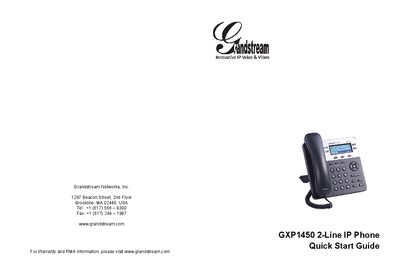
Grandstream GXP1450 2-Line IP Phone Quick Start Guide
The GXP1450 is a small‑to‑medium business IP phone with two lines, a 180×60 graphical LCD, three XML‑programmable soft keys, dual network ports with PoE, and 3‑way conference capability. The package includes the handset, power adapter, Ethernet cable, phone cord, stand, wall‑mount spacers, and this Quick Start Guide.
The guide walks you through wall‑mount or desk‑stand installation, connecting the handset, LAN, and power, and configuring the device via the keypad or embedded web server. It also provides keypad tips, default passwords (admin/123), and safety warnings such as not power‑cycling during firmware upgrades.
Grandstream GXP1450 specifications
| Ethernet Ports | Two 10/100 Mbps Full/Half Duplex ports with PoE |
|---|---|
| LCD Display | Graphic 180 x 60 pixel |
| Power Adaptor Output | +5VDC, 800 mA, UL certified |
| Dimensions | 186 mm × 210 mm × 81 mm |
| Lines | 2 lines with 2 independent SIP accounts |
Source: Grandstream GXP1450 SIP Enterprise Phone User Manual
All Grandstream GXP1450 documents by type
Day-to-day operation, settings and troubleshooting. Start here if the product is already set up.
The shortest path to a working setup, usually only a few pages.
Questions answered in these manuals
How many Ethernet ports does the GXP1450 have?
The phone has two 10/100 Mbps Ethernet ports with PoE support.
How can I upgrade the firmware on the GXP1450?
Firmware can be upgraded via TFTP or HTTP using either the web interface or the keypad menu.
How can I upgrade the firmware on the GXP1450?
The phone can be upgraded via TFTP or HTTP; upload the firmware file to a server on the same LAN segment and configure the phone’s Firmware Server Path to the server’s address, then apply the update and reboot.
How do I mount the GXP1450 on a wall?
Attach the two wall‑mount spacers to the slot on the back of the phone, then insert the phone through the wall‑mount hole.
What are the default passwords for the phone?
The default administrator password is “admin” and the default end‑user password is “123”.
How can I establish a call on the GXP1450?
The GXP1450 provides five different methods for establishing a call, such as using the LINE button or the quick‑dial feature.