
Key facts
- Brand
- Grandstream
- Model
- GXV3504
- Category
- Video Decoder
- Documents
- 2
- Languages
- EN
- Last added
- 2012-05-11
Start here
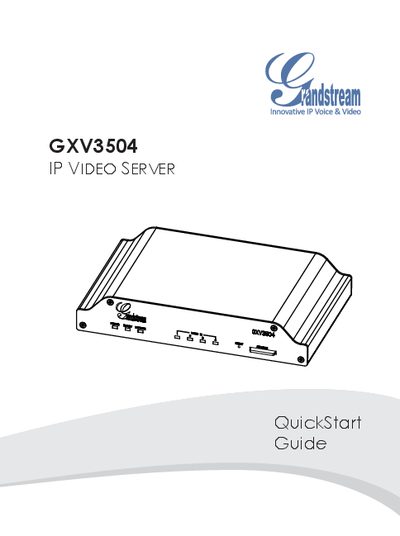
Grandstream GXV3504 IP Video Server QuickStart Guide
This QuickStart Guide walks you through the initial installation of the Grandstream GXV3504 IP Video Server. It explains the two power options—using the supplied 12 V DC adapter or Power over Ethernet (PoE)—and shows how to connect cameras via BNC video and audio inputs.
The guide also details network configuration using a PC and Microsoft Internet Explorer, including default IP settings, login credentials, and installing the required ActiveX control for video viewing. Advanced configuration can be accessed through the web UI menu.
Grandstream GXV3504 specifications
| Operating temperature range | -10 °C to +55 °C |
|---|---|
| Video input | BNC video‑out from analog camera |
| Audio input | BNC audio‑out from analog camera |
| Default IP address | 192.168.1.168 |
| Default subnet mask | 255.255.255.0 |
| Default login | admin / admin |
Source: Grandstream GXV3504 IP Video Server QuickStart Guide
All Grandstream GXV3504 documents by type
The shortest path to a working setup, usually only a few pages.
Day-to-day operation, settings and troubleshooting. Start here if the product is already set up.
Questions answered in these manuals
What indicator lights show that the GXV3504 is properly connected?
When the device is correctly powered and networked, the POWER, READY, and NETWORK LEDs will flash green.
Why can I not view the live video stream in Microsoft Internet Explorer?
The required Grandstream video viewer add‑on (GSViewer.cab) must be installed; check that the IE add‑on is present and enabled.
From: Grandstream GXV3501/GXV3504 Digital Video Server User Manual
How do I manually uninstall the Grandstream video viewer add‑on for IE?
Delete the GSViewerX Control from the Downloaded Program Files folder and remove related DLL and OCX files from the system32 directory.
From: Grandstream GXV3501/GXV3504 Digital Video Server User Manual