
Key facts
- Brand
- Grandstream
- Model
- HT702
- Category
- Other device
- Documents
- 3
- Languages
- EN
- Last added
- 2023-10-16
Start here
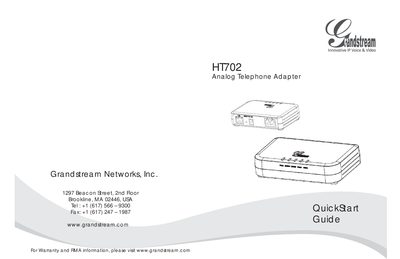
Grandstream HT702 Analog Telephone Adapter Quick Start Guide
The guide provides an overview of the Grandstream HandyTone HT702 analog telephone adapter, describing its purpose as an affordable VoIP access device that works with standard analog phones and fax machines. It includes safety notices, such as the lack of emergency service support and restrictions on third‑party power adapters.
Installation steps cover connecting the analog phone to PHONE1 or PHONE2, linking the LAN port to a network, and configuring the device via the embedded web server or interactive voice prompts. Required network settings and subscriber credentials are listed for successful setup.
Grandstream HT702 specifications
| Telephone Interfaces | 1 RJ11 FXS port (HT701), 2 RJ11 FXS ports (HT702), 4 RJ11 FXS ports (HT704) |
|---|---|
| Network Interface | 1 RJ45 10/100 Mb Base-TX, Full Duplex port |
| Power Input | 100–240 VAC/50-60 Hz |
| Power Output | 12VDC, 0.5A (HT701) or 12VDC, 1A (HT702/HT704) |
| Dimensions | 26 x 65 x 86mm (HT701), 28 x 115 x 75mm (HT702/HT704) |
Source: Grandstream HT701/HT702/HT704 FXS Port Analog Telephone Adaptors User Manual
All Grandstream HT702 documents by type
Day-to-day operation, settings and troubleshooting. Start here if the product is already set up.
The shortest path to a working setup, usually only a few pages.
Questions answered in these manuals
How do I reset the device to factory default settings?
You can reset the device by pressing the reset button for about 7 seconds or by dialing "***" and entering "99" followed by the encoded MAC address.
From: Grandstream HT701/HT702/HT704 FXS Port Analog Telephone Adaptors User Manual
What is the maximum length of the Short Haul Loop?
The Short Haul Loop supports up to 1Km on 24 AWG wire for the HT701 and up to 1Km on 24 AWG line for the HT702 and HT704.
From: Grandstream HT701/HT702/HT704 FXS Port Analog Telephone Adaptors User Manual
Can the HT702 be used for emergency calls?
No, the HT702 does not provide connections to emergency services; users must make additional arrangements to access emergency service.
From: Grandstream HT702 Analog Telephone Adapter Quick Start Guide
How do I configure the HT702 via the web interface?
Enter the HT702’s IP address in a browser, log in with the password “admin”, and configure network and subscriber settings.
From: Grandstream HT702 Analog Telephone Adapter Quick Start Guide
How do I reset the HT70X to factory defaults?
Press the reset button for about 7 seconds, or use the IVR command or web interface reset options.
From: Grandstream Networks Inc. HT70X Analog Telephone Adaptor HT701 HT702 HT704 user manual
What power adapter should be used with the HT70X?
Use the supplied universal power adapter; HT701 requires 12 V 0.5 A, while HT702/HT704 require 12 V 1 A.
From: Grandstream Networks Inc. HT70X Analog Telephone Adaptor HT701 HT702 HT704 user manual