
Key facts
- Brand
- Grandstream
- Model
- GWN7600
- Category
- Wireless connection
- Documents
- 2
- Languages
- EN · ZH
- Last added
- 2023-11-07
Start here
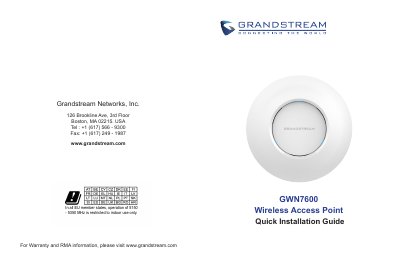
Grandstream GWN7600 Wireless Access Point Quick Installation Guide
Grandstream GWN7600 is a mid-tier 802.11ac Wave-2 Wi-Fi access point for small to medium sized businesses, multiple floor offices, commercial locations, and branch offices. It offers dual-band 2x2:2 MU-MIMO with beamforming technology and a sophisticated antenna design for maximum network throughput and expanded Wi-Fi coverage range. It uses a controller-less distributed network management design with the controller embedded in the web user interface, allowing each access point to manage up to 30 GWN76xx series APs independently, and supports advanced QoS, low-latency real-time applications, 450+ concurrent client devices per AP, and dual Gigabit network ports with PoE.
The guide covers precautions, package contents, port descriptions, powering and connecting, wall and ceiling mounting, default Wi-Fi network access, and accessing the configuration interface. It also lists operating and storage temperature and humidity limits, and notes that in all EU member states operation of 5150-5350 MHz is restricted to indoor use only.
Grandstream GWN7600 specifications
| Wi-Fi standard | 802.11ac Wave-2 |
|---|---|
| MIMO | Dual-band 2x2:2 MU-MIMO |
| Beamforming | Supported |
| Network management | Controller-less distributed network management |
| Managed APs | Up to 30 GWN76xx series APs |
| QoS | Advanced QoS supported |
| Low-latency applications | Supported |
| Concurrent clients | 450+ per AP |
| Network ports | Dual Gigabit ports with PoE |
| Power input | DC 24 V, 1 A (adapter not provided) |
| Ethernet port speed | 10/100/1000 Mbps |
| USB port | USB 2.0 |
| Factory reset | Press RESET for 7 seconds |
| Operating temperature | 0 to 50 °C |
| Storage temperature | -10 to 60 °C |
| Humidity | 10% to 90% RH, non-condensing |
| EU 5 GHz restriction | 5150-5350 MHz indoor use only |
| Default SSID | GWN plus last 6 digits of MAC address |
Source: Grandstream GWN7600 Wireless Access Point Quick Installation Guide
All Grandstream GWN7600 documents by type
The shortest path to a working setup, usually only a few pages.
Day-to-day operation, settings and troubleshooting. Start here if the product is already set up.
Questions answered in these manuals
What is the default administrator username for the GWN7600?
The default administrator username is admin.
From: Grandstream GWN7600 Wireless Access Point Quick Installation Guide
How do I factory reset the GWN7600?
Press the RESET button for 7 seconds to restore factory default settings.
From: Grandstream GWN7600 Wireless Access Point Quick Installation Guide
What is the GWN7600LR configured through?
It is configured through the WEB page.
From: Grandstream GWN7600LR Enterprise 802.11ac Wave-2 Outdoor Long-Range WiFi Access Point User Manual
What Wi-Fi standard does the GWN7600LR support?
It supports IEEE 802.11 a/b/g/n/ac (Wave-2).
From: Grandstream GWN7600LR Enterprise 802.11ac Wave-2 Outdoor Long-Range WiFi Access Point User Manual