
Key facts
- Brand
- Grandstream
- Model
- GWN7630
- Category
- Other network devices
- Documents
- 2
- Languages
- ZH · EN
- Last added
- 2026-10-15
Start here
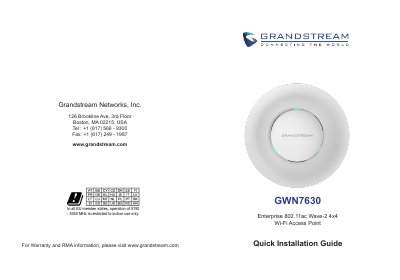
Grandstream GWN7630 Enterprise 802.11ac Wave-2 4x4 Wi-Fi Access Point Quick Installation Guide
The Grandstream GWN7630 is an enterprise 802.11ac Wave-2 4x4 Wi-Fi access point for small to medium businesses, multi-floor offices, commercial locations and branch offices. It uses dual-band 4x4:4 MU-MIMO technology and can be managed through its embedded web controller or GWN Cloud.
This Quick Installation Guide covers package contents, ports, PoE/PoE+ powering and connection, wall and ceiling mounting, and access to the configuration interface using the MAC address or GWN Discovery Tool. It also lists precautions for temperature, humidity and firmware upgrades.
Grandstream GWN7630 specifications
| Wi-Fi technology | Dual-band 4x4:4 MU-MIMO |
|---|---|
| Network ports | NET/POE and NET RJ45 ports, 10/100/1000Mbps; NET/POE supports PoE/PoE+ |
| Client devices supported | 200+ client devices per AP |
| Power input | 48V 0.5A |
| Operating temperature | 0 °C to 60 °C |
| Storage temperature | -10 °C to 40 °C |
| Operating humidity | 10-90% RH (non-condensing) |
Source: Grandstream GWN7630 Enterprise 802.11ac Wave-2 4x4 Wi-Fi Access Point Quick Installation Guide
All Grandstream GWN7630 documents by type
Day-to-day operation, settings and troubleshooting. Start here if the product is already set up.
The shortest path to a working setup, usually only a few pages.
Questions answered in these manuals
What is the maximum Wi-Fi coverage range of the GWN7630LR?
The device provides a Wi-Fi coverage range of up to 300 meters.
From: Grandstream GWN7630LR Wireless Access Point Installation Guide
How long must you press the RESET button to restore factory settings?
You must press the RESET button for 7 seconds to restore factory default settings.
From: Grandstream GWN7630LR Wireless Access Point Installation Guide
How is the GWN7630 powered?
It can be powered on using a PoE/PoE+ switch connected to its NET/POE RJ45 port.
From: Grandstream GWN7630 Enterprise 802.11ac Wave-2 4x4 Wi-Fi Access Point Quick Installation Guide
What default Wi-Fi network does the GWN7630 broadcast?
It broadcasts a default SSID based on its MAC address, GWN[MAC's last 6 digits], with a random password printed on the MAC tag.
From: Grandstream GWN7630 Enterprise 802.11ac Wave-2 4x4 Wi-Fi Access Point Quick Installation Guide