
Key facts
Start here
Gigabyte S1080/S1081 Accessories Quick Start Guide
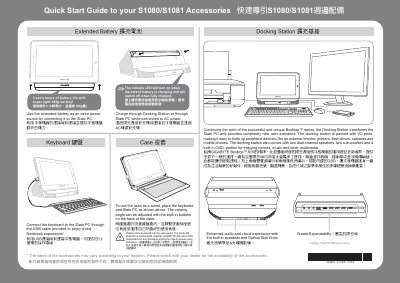
This guide introduces the accessories for the Gigabyte S1080/S1081 Slate PC, including the extended battery, docking station, keyboard and protective case. It explains how to connect each accessory, charge the battery, and adjust the case angle.
The document also lists hotkey functions for sleep mode, wireless LAN, Bluetooth, webcam, and other features, and provides regulatory notices (CE, FCC, BSMI) for compliance and safety. This manual is written in Chinese.
Gigabyte S1080 specifications
| Battery life extension | 3 extra hours |
|---|---|
| Battery weight | 100 g |
| Charging indicator | LED turns on while charging, off when full |
All Gigabyte S1080 documents by type
Day-to-day operation, settings and troubleshooting. Start here if the product is already set up.
The shortest path to a working setup, usually only a few pages.
Questions answered in these manuals
How do I charge the extended battery?
Connect the extended battery to the Slate PC or the docking station while the unit is plugged into AC power.
How do I put the device into sleep mode?
Press the designated hotkey combination (e.g., Fn+F7) to enable sleep mode.
How do I turn on the Slate PC?
Press and release the Power button to turn on the operating system.
From: GIFABYTE S1080 Manual
How can I enter the BIOS Setup Utility?
Press the “+” key while powering on to launch the GIGABYTE BIOS Setup Utility.
From: GIFABYTE S1080 Manual