
FrSky ARCHER GR8 receiver is a new ACCESS protocol receiver, compatible with all FrSky ACCESS transmitters. It features lower latency and improved performance, support OTA (Over-The-Air) function, upgrade firmware will be very easy without wires. ARCHER GR8 also has an upgraded high precision variometer that gives pilots more accurate and quicker altitude and vertical speed data.
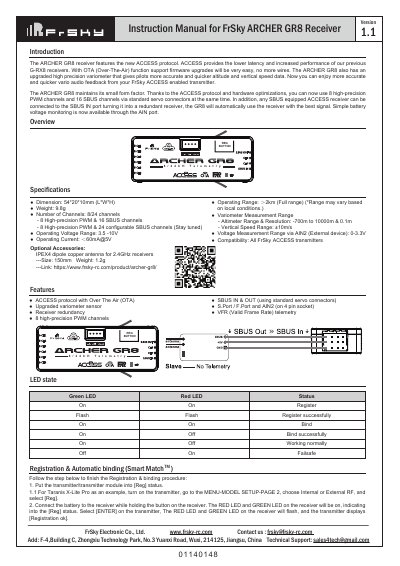
The document serves as an instruction manual for the FrSky ARCHER GRB 1.1 receiver. It highlights features such as the ACCESS protocol with Over-The-Air (OTA) support, an upgraded high-precision variometer, and redundant receiver capabilities via SBUS IN/OUT ports.
Key operational procedures detailed include the registration and automatic binding process using a FrSky Taranis X-Lite Pro transmitter, how to switch between FS (20ms) and HS (7ms) modes, performing pre-flight range checks, and configuring failsafe settings for channels.
| Dimensions | 54*20*10mm (WPH) |
|---|---|
| Operating Range | >2km |
| Weight | 8g |
| Number of Channels | 8/24 channels |
| Altimeter Range | -70m to 10000m |
| Operating Voltage Range | 3.5 - 10V |
Put the transmitter module into Reg status, connect the battery to the receiver while holding the button on the receiver, then select ENTER on the transmitter. Finally, move the cursor to select the receiver for binding.
Go to the SD CARD menu, select FVV, press enter to select Flash receiver OTA, power on the receiver, and wait for the green LED to start flashing.
FS mode has a default setting of 20ms, while HS mode is set to 7ms PWM for digital servos.