
This manual introduces the features and characteristics of the FrSky ARCHER GR8 receiver and ARCHER R10 PRO receiver
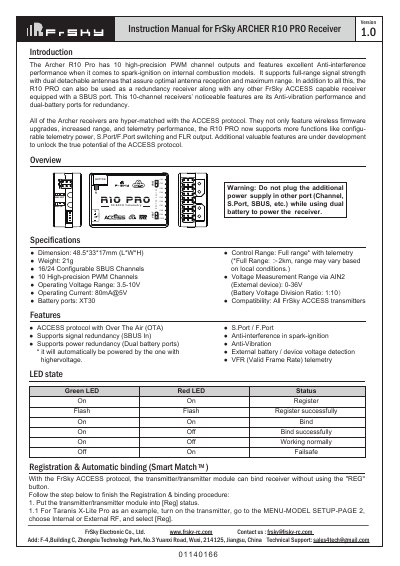
The document provides instruction manuals for two FrSky receiver models: the ARCHER GR8 and the ARCHER R10 PRO. It details their LED status indicators, registration procedures via Smart Match, and firmware update methods using Over The Air (OTA) technology with compatible transmitters like the Taranis X-Lite Pro.
| Dimension (R10 Pro) | 48.5*33*17mm (L*W*H) |
|---|---|
| Weight | 21g |
| SBUS Channels | 16/24 Configurable |
| PWM Channels | 10 High-precision |
| Operating Voltage Range | 3.5-10V |
| Operating Current | 80mA@5V |
| Battery ports | XT30 |
| Control Range | Full range* with telemetry |
Put the transmitter into [Reg] status, then connect the battery to the receiver while holding the F/S button until LEDs indicate [Reg], select [ENTER] on the transmitter for registration, or move the cursor to select [Bind] after turning off the receiver.
The factory default setting is FS (20ms) mode, while HS (7ms) mode is applied specifically for digital servos to prevent them from getting hot.
Go to the SD CARD menu on the transmitter, select [Flash receiver OTA], power on the receiver, select the RX, go to [ENTER] to complete the flash process, and re-power the receiver.