
Dell XPS 18 Series Computer Quick Start Guide

This guide describes how to set up and use a Dell computer.
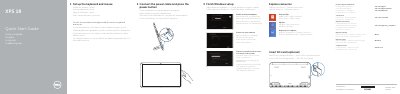

Dell XPS 18 Series Computer Quick Start Guide - cover page
Brand
DELL
Category
Desktops
Document type
Quick Start Guide
Language
English
Pages
2
File format
PDF
File size
205 KB
Published
25 November, 2023
Updated
25 November, 2023
MD5 checksum
3537760EF25382E3D05C82DA90D3AD0E

About this manual

This quick start guide helps set up the Dell XPS 18 series computer, including the keyboard and mouse, power connection, Windows setup, security and updates, Microsoft account sign-in, and network connection.

It also identifies the computer's features and ports, describes the basic and optional powered stands, and lists product support, manuals, contact, and regulatory information.

What's inside

  • Set up the keyboard and mouse
  • Connect the power cable and press the power button
  • Finish Windows setup
  • Enable security and updates
  • Sign in to your Microsoft account or create a local account
  • Connect to your network
  • Explore resources
  • Help and Tips
  • My Dell
  • Register your computer

Specifications

Microphones2
Volume-control buttons2
USB 3.0 ports2

Frequently asked questions

Where can I find documentation for the wireless keyboard and mouse?

See the documentation that shipped with the wireless keyboard and mouse.

What does the docking-status light on the powered stand indicate?

It turns on when the computer is correctly seated in the powered stand.

How many USB 3.0 ports are listed for the computer?

Two USB 3.0 ports are listed.

Download PDF (205 KB)

More DELL Manuals


View all DELL manuals →