
Key facts
Start here
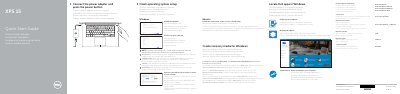
Dell XPS 15 Laptop Quick Start Guide
This guide helps you set up your Dell XPS 15 laptop quickly. It covers connecting power, checking for updates, setting up your network, and signing in to your Microsoft account or creating a local account. It also includes instructions for enabling Dell updates and connecting to a secured wireless network.
The guide features a diagram of the laptop’s ports and buttons, including camera, USB 3.0 with PowerShare, HDMI, Thunderbolt 3, headphone jack, microphones, SD card slot, battery status lights, and power button. It also includes shortcut key descriptions for audio, volume, track navigation, display switching, search, and brightness control.
All Dell XPS 15 documents by type
The shortest path to a working setup, usually only a few pages.
Disassembly, diagnostics and part numbers, for repair.
Day-to-day operation, settings and troubleshooting. Start here if the product is already set up.
Questions answered in these manuals
What should I do first to start the laptop?
Connect the power adapter and press the power button.
How do I create recovery media for Windows?
In Windows search, type Recovery, click Create a recovery media, and follow the instructions on the screen.
What tools are recommended for servicing the Dell XPS 15?
The manual recommends a Phillips #0 screwdriver, Phillips #1 screwdriver, Torx #5 (T5) screwdriver, and a plastic scribe.
What should I do before working inside the computer?
Save and close all open files and applications, shut down the computer, disconnect power and peripherals, and remove media and optical discs.
What is the regulatory model of the Dell XPS 15?
The regulatory model is P56F.
What tools are recommended for working inside the computer?
The procedures may require a Phillips screwdriver #0, Phillips screwdriver #1, Torx #5 (T5) screwdriver, and plastic scribe.