
The Dell XPS 15 laptop quick start guide provides information on how to connect the power adapter, turn on the power, register the computer, connect to a network, and more.
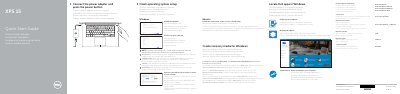
This guide helps you set up your Dell XPS 15 laptop quickly. It covers connecting power, checking for updates, setting up your network, and signing in to your Microsoft account or creating a local account. It also includes instructions for enabling Dell updates and connecting to a secured wireless network.
The guide features a diagram of the laptop’s ports and buttons, including camera, USB 3.0 with PowerShare, HDMI, Thunderbolt 3, headphone jack, microphones, SD card slot, battery status lights, and power button. It also includes shortcut key descriptions for audio, volume, track navigation, display switching, search, and brightness control.
Connect the power adapter and press the power button.
In Windows search, type Recovery, click Create a recovery media, and follow the instructions on the screen.
Yes, the features list includes a Thunderbolt 3 port with Power delivery (USB-C).