
Key facts
Start here
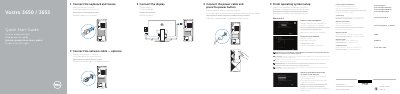
Dell Vostro 3650/3653 Quick Start Guide
This document provides a quick start guide for the Dell Vostro 3650 and Vostro 3653 desktop computers. It includes multilingual instructions for connecting essential hardware components such as the keyboard, mouse, display, and power cable. The guide also details the initial steps for setting up the operating system, including enabling security features and connecting to a network. This manual is written in Czech.
Read onlineDell Vostro 3650 specifications
| Processor | Intel Celeron, Intel Pentium, Intel Dual Core i3/i5/i7 (6th Gen) |
|---|---|
| Memory | 2 GB to 16 GB, 1600 MHz DDR3L |
| Video | Intel HD Graphics, Nvidia GT 705, AMD R9 360 |
| Ethernet | 10/100/1000 Mbps |
| Wireless | Wi-Fi 802.11ac, Bluetooth 4.0 |
| Chipset | Intel H110 |
| Power | 240 W |
| Height | 380 mm (14.96 inches) |
Source: Dell Vostro 3650 User Manual
All Dell Vostro 3650 documents by type
The shortest path to a working setup, usually only a few pages.
Day-to-day operation, settings and troubleshooting. Start here if the product is already set up.
Disassembly, diagnostics and part numbers, for repair.
Questions answered in these manuals
What should I do if I am connecting to a secured wireless network?
Enter the password for the wireless network access when prompted.
Where can I find Dell apps in Windows 8.1?
Locate Dell apps in Windows 8.1.
How do I connect to a secured wireless network?
Enter the password for the wireless network access when prompted.
What is the maximum memory capacity?
The maximum memory capacity is 16 GB.
What are the operating temperature limits?
The operating temperature range is 10°C to 35°C (50°F to 95°F).
What tools are recommended for working inside the computer?
Use a small flat blade screwdriver, Phillips #1 screwdriver, small plastic scribe, and hex screwdriver.