
Dell Vostro 3650/3653 Quick Start Guide

The Dell Vostro 3650/3653 Quick Start Guide provides information on how to set up and use your Dell Vostro 3650/3653 computer.
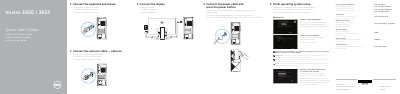

Dell Vostro 3650/3653 Quick Start Guide - cover page
Brand
DELL
Category
Desktops
Document type
Quick Start Guide
Language
English
Pages
2
File format
PDF
File size
1.1 MB
Published
24 November, 2023
Updated
24 November, 2023
MD5 checksum
1F8CEAC83F13990323441E350C13848D

About this manual

This guide provides instructions for connecting the Dell Vostro 3650 and Vostro 3653 desktop computers to essential peripherals such as keyboards, mice, displays, and network cables. It covers the initial power-on sequence and the necessary steps to complete the operating system setup for Windows 8.1, Windows 7, and Ubuntu.

What's inside

  • Connect the keyboard and mouse
  • Connect the network cable
  • Connect the display
  • Connect the power cable
  • Finish operating system setup
  • Features
  • Locate Dell apps in Windows 8.1
  • Register My Device
  • Dell Backup and Recovery
  • SupportAssist

Specifications

Regulatory modelD19M
Regulatory typeD19M002

Frequently asked questions

How do I connect to a secured wireless network?

Enter the password for the wireless network access when prompted.

Download PDF (1.1 MB)

More DELL Manuals


View all DELL manuals →