
OptiPlex 7440 All-in-One Quick Start Guide
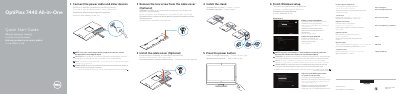
This document serves as a Quick Start Guide for the Dell OptiPlex 7440 All-in-One computer. It provides multilingual instructions for connecting power cables, installing the optional cable cover and stand, and completing the initial Windows setup, including enabling security and updates. The guide also directs users to the Owner's Manual for further details on registering the computer and using Dell apps.
The model is OptiPlex 7440.
Press the power button.
Enter the password for the wireless network access when prompted.