
Dell OptiPlex 7440 All-in-One Quick Start Guide

OptiPlex 7440 All-in-One Quick Start Guide
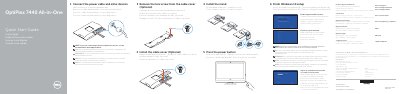

Dell OptiPlex 7440 All-in-One Quick Start Guide - cover page
Brand
DELL
Category
All-in-One Desktops
Document type
Quick Start Guide
Language
English
Pages
2
File format
PDF
File size
388 KB
Published
20 November, 2023
Updated
20 November, 2023
MD5 checksum
2F4B58C7DD4D8607C735E1F1898EFC5B

About this manual

This document serves as a Quick Start Guide for the Dell OptiPlex 7440 All-in-One computer. It outlines the essential steps to get the device operational, such as connecting the power cable and other peripherals, installing the optional cable cover and stand, and completing the initial Windows 10 setup. The guide also covers enabling support features and connecting to a network.

What's inside

  • Connect the power cable and other devices
  • Install the cable cover
  • Install the stand
  • Finish Windows 10 setup
  • Enable Support and Protection
  • Connect to your network
  • Sign in to your Microsoft account
  • Product support and manuals

Specifications

Regulatory modelW11C
Input Voltage100 V CA–240 V CA
Input Current3,0 A
Input Frequency50 Hz–60 Hz
Output Current11,5 A / 15,2 A
Output Voltage12,0 V DC

Frequently asked questions

Where can I find more information and the Owner's Manual?

For more information, see Owner's Manual at dell.com/support.

What should I do if I connect a wireless keyboard or mouse?

Consult the documentation that shipped with the wireless keyboard or mouse.

Download PDF (388 KB)

More DELL Manuals


View all DELL manuals →