
Key facts
Start here
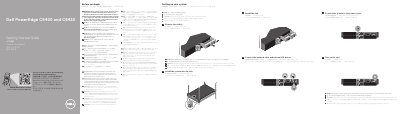
Dell PowerEdge C6400 and C6420 Servers Getting Started Guide
Dell PowerEdge C6400 and C6420 Getting Started Guide provides multilingual setup instructions for installing the system into a rack, removing and installing sleds, connecting network and I/O devices, connecting power, and turning on the sled. It also points to safety, environmental, and regulatory information and to the full documentation set.
The guide notes that Extended Power Performance (EPP) compliant power supply units are required and that the operating system should be installed before hardware or software not purchased with the system. Rack installation details are in the rack documentation included with the rack solution.
Dell C640 specifications
| Document model | PP01L |
|---|---|
| Document part number | P/N 1R407 Rev. A01 |
| Publication date | January 2003 |
| Maximum battery storage temperature | 60ºC (140ºF) |
Source: Dell Latitude C540/C640 Series System Information Guide
All Dell C640 documents by type
Day-to-day operation, settings and troubleshooting. Start here if the product is already set up.
- Dell Latitude C540/C640 Series System Information Guide 138 p
- Dell Latitude C540/C640 Series System Information Guide 340 p
- Dell Latitude C540/C640 Series System Information Guide 340 p
- Dell Latitude C540/C640 Series System Information Guide 340 p
- Dell PowerEdge C6400 and C6420 Getting Started Guide 2 p
- Dell PowerEdge C6400 and C6420 Getting Started Guide 2 p
- Dell PowerEdge C6400 and C6420 Getting Started Guide 2 p
- Dell EMC PowerEdge C6400 and C6420 Getting Started Guide 2 p
- Dell XC6400 and XC6420 Series Hyper-Converged Appliance Getting Started Guide 2 p
- Dell EMC PowerEdge C6400 and C6420 Getting Started Guide 2 p
- Dell XC6400 and XC6420 Series Hyper-Converged Appliance Getting Started Guide 2 p
- Dell EMC PowerEdge C6400 and C6420 Getting Started Guide 2 p
- Dell EMC PowerEdge C6400 and C6420 Getting Started Guide 2 p
- Dell PowerEdge C6400 and C6420 Getting Started Guide 2 p
The shortest path to a working setup, usually only a few pages.
Questions answered in these manuals
What safety precautions apply when using the Dell Latitude C540/C640 Series?
Do not service the computer unless you are a trained service technician, follow installation instructions closely, and avoid blocking cooling vents or using the computer in wet environments.
From: Dell Latitude C540/C640 Series System Information Guide
Which AC adapter should be used with the computer?
Use only the Dell-provided AC adapter approved for use with the computer, and check that its voltage rating matches the available power source.
From: Dell Latitude C540/C640 Series System Information Guide
What temperature limit must not be exceeded when storing or leaving the computer or battery pack near a heat source?
You must not expose the computer or battery pack to temperatures in excess of 60ºC (140ºF).
From: Dell Latitude C540/C640 Series System Information Guide
What is the minimum wire size required for the cable used with a modem included in the computer?
The modem cable must be manufactured with a minimum wire size of 26 American wire gauge (AWG).
From: Dell Latitude C540/C640 Series System Information Guide
Where can I find the documentation set for this system?
The documentation set is available at Dell.com/poweredgemanuals.
From: Dell PowerEdge C6400 and C6420 Servers Getting Started Guide
What must be installed before hardware or software not purchased with the system?
The operating system must be installed first.
From: Dell PowerEdge C6400 and C6420 Servers Getting Started Guide