
Key facts
Start here
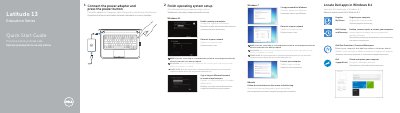
Dell Latitude 13 Education Series Quick Start Guide
This quick start guide covers initial setup of the Dell Latitude 13 Education Series laptop, including connecting power, completing operating system setup, enabling security and updates, and connecting to a network.
It also identifies the computer's external features and ports and provides links to Dell support, manuals, and regulatory information.
Dell Latitude 13 specifications
| Enter System Setup | Press F2 |
|---|---|
| One-time boot menu | Press F12 when the Dell logo appears |
| Intel AMT settings | Press Ctrl+P |
| SATA operation modes | Disabled, ATA, AHCI |
| Integrated NIC options | Disabled, Enabled, Enabled with PXE, Enabled with RPL |
All Dell Latitude 13 documents by type
The shortest path to a working setup, usually only a few pages.
Disassembly, diagnostics and part numbers, for repair.
Questions answered in these manuals
How do I connect to a secured wireless network?
Enter the password for the wireless network access when prompted.
Where can I get product support and manuals?
Visit Dell.com/support and Dell.com/support/manuals.
How do you enter the System Setup?
Press <F2> to enter the System Setup and make changes to user-configurable settings.
How do you access the one-time boot menu?
Press <F12> when the Dell logo appears to start the one-time boot menu.
How do I access the System Setup program?
Press the <F2> key to enter the System Setup program and change user-definable settings.
How do I display the one-time boot menu?
Press <F12> when the DELL logo appears to start the one-time boot menu.