
Dell Inspiron 3421/5421 Quick Start Guide

This document describes the features and functions of Dell computers.
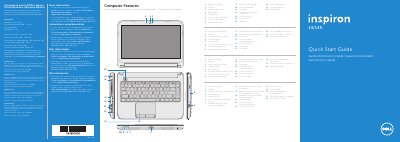

Dell Inspiron 3421/5421 Quick Start Guide - cover page
Brand
DELL
Category
Laptops
Document type
Quick Start Guide
Language
English
Pages
2
File format
PDF
File size
780 KB
Published
20 November, 2023
Updated
20 November, 2023
MD5 checksum
48345FC0034ECCAFE30E0AAC4D728154

About this manual

This document serves as a Quick Start Guide for the Dell Inspiron 3421/5421 laptop. It outlines the physical features of the computer, including ports, lights, and buttons, and provides a step-by-step guide to setting up the device, connecting peripherals, and configuring Windows.

What's inside

  • Computer Features
  • Function Keys
  • Connect the network cable
  • Connect the power adapter
  • Press the power button
  • Record your Windows password
  • Complete Windows setup
  • Locate your service tag
  • Check wireless status

Specifications

Input Voltage100 – 240 V AC
Input Frequency50 – 60 Hz
Output Voltage19.50 V DC
USB 3.0 Ports2
Media Card Reader8-in-1

Frequently asked questions

What is the regulatory model number?

The regulatory model number is P37G.

Where can I find the service tag?

You must locate the service tag/regulatory labels on the device.

What should I avoid when setting my Windows password?

Do not use the @ symbol in your password.

Download PDF (780 KB)

More DELL Manuals


View all DELL manuals →