
Dell Inspiron 3421/5421 Quick Start Guide

The user manual for Dell computers introduces the functions and advanced options of the computer and provides contact information.
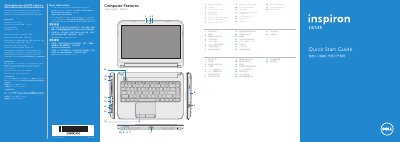

Dell Inspiron 3421/5421 Quick Start Guide - cover page
Brand
DELL
Category
Laptops
Document type
Quick Start Guide
Language
English
Pages
2
File format
PDF
File size
957 KB
Published
20 November, 2023
Updated
20 November, 2023
MD5 checksum
726D43E998C14A3F24125441278FF561

About this manual

This document serves as a Quick Start Guide for the Dell Inspiron 3421/5421 laptop. It provides an overview of the computer's features, including the digital microphone, camera, optical drive, and various ports such as USB 2.0, USB 3.0, and HDMI. The guide also lists the regulatory model number P37G and specifies input voltage and frequency requirements.

What's inside

  • Computer Features
  • Function Keys
  • Connect the network cable
  • Connect the power adapter
  • Press the power button
  • Record your Windows password
  • Complete Windows setup
  • Locate your service tag
  • Check wireless status

Specifications

Regulatory ModelP37G
Input Voltage100 – 240 V CA
Input Frequency50 – 60 Hz
Product NameInspiron 3421/5421

Frequently asked questions

Where can I find more information about features and advanced options?

Click Start→ All Programs→ Dell Help Documentation or go to support.dell.com/manuals.

What is the regulatory model number for this computer?

The regulatory model number is P37G.

Download PDF (957 KB)

More DELL Manuals


View all DELL manuals →