
The Dell computer user manual introduces the features and advanced options of the Dell computer and provides contact information.
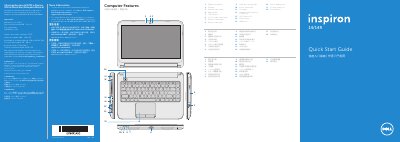
This quick start guide provides an overview of the Dell Inspiron 3421/5421 computer's features, including the camera, microphone, ports, and indicator lights. It also explains the function keys for display, wireless, touchpad, brightness, media playback, and volume control.
The guide includes steps for initial setup: connecting the network cable and power adapter, pressing the power button, recording the Windows password, completing Windows setup, and locating the service tag and regulatory labels. Regulatory information for Mexico (NOM) lists the importer, model number P37G, and power adapter specifications. This manual is written in Chinese.
| Regulatory model | P37G |
|---|---|
| Type | P37G001 |
| Computer model | Inspiron 3421/5421 |
| Input voltage | 100 – 240 V AC |
| Input current (max) | 1.50 A / 1.60 A / 1.70 A |
| Input frequency | 50 – 60 Hz |
| Output current | 3.34 A / 4.62 A |
| Output voltage | 19.50 V DC |
The regulatory model is P37G.
Press the function key for wireless to toggle wireless on or off.
Locate your service tag/regulatory labels on the computer.