
Key facts
Start here
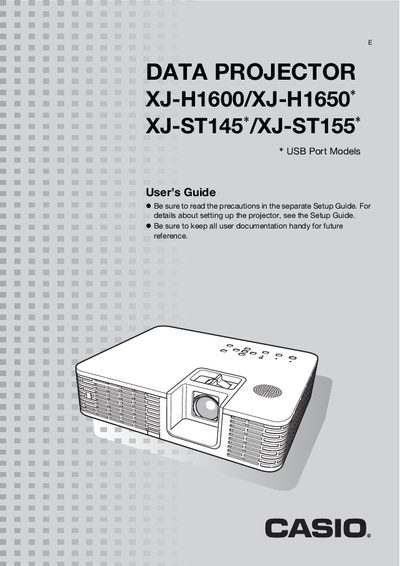
Casio XJ-H1600/XJ-H1650/XJ-ST145/XJ-ST155 Projector User Manual
This user guide explains how to set up and operate Casio's XJ series projectors, including the XJ-H1600, XJ-H1650, XJ-ST145, and XJ-ST155. It covers basic functions, remote‑controller usage, input source selection, image adjustments, and advanced settings such as password protection and eco mode.
The manual also details connectivity options (HDMI, LAN, USB, RS‑232C), cleaning procedures, error indicators, and full technical specifications. All instructions assume the remote controller that ships with the projector, but many functions can also be performed directly on the unit.
Casio ST155 specifications
| Brightness (ANSI Lumens) | XJ-H1600: 3500, XJ-H1650: 2500, XJ-ST145: 3000 |
|---|---|
| Projection System | DLP |
| DLP Chip | 0.7 inch, XGA (1024 x 768) pixels |
| Light Source | Laser and LED hybrid |
| Projection Lens | 1.2× manual optical zoom, manual focus |
| Computer Input Terminals | RGB 15‑pin mini D‑Sub x2 (also component input) |
| HDMI Output | HDMI type A terminal x1 |
| USB Ports | TYPE A x1, TYPE B x1 (XJ-H1650/XJ-ST145/XJ-ST155 only) |
| LAN Interface | RJ‑45 terminal x1 |
| Display Languages | English, French, German, Italian, Spanish, Swedish, Portuguese, Turkish, Russian, Chinese (Simplified), Chinese (Traditional), Korean, Japanese |
Source: Casio XJ-H1600/XJ-H1650/XJ-ST145/XJ-ST155 Projector User Manual
All Casio ST155 documents by type
Day-to-day operation, settings and troubleshooting. Start here if the product is already set up.
Questions answered in these manuals
What is the brightness of the XJ-H1600 model?
The XJ-H1600 provides 3500 ANSI lumens of brightness.
From: Casio XJ-H1600/XJ-H1650/XJ-ST145/XJ-ST155 Projector User Manual
What type of light source does the projector use?
It uses a hybrid laser and LED light source.
From: Casio XJ-H1600/XJ-H1650/XJ-ST145/XJ-ST155 Projector User Manual
How do I install Wireless Connection 3?
Install the Wireless Connection 3 adapter according to the installation steps described in the manual.
From: Casio XJ-H1650 / XJ-ST145 / XJ-ST155 Data Projector User Manual
What error appears if the projector cannot connect?
The manual shows the error message “Could not connect to projector. Connection has been terminated.”
From: Casio XJ-H1650 / XJ-ST145 / XJ-ST155 Data Projector User Manual
How can I project without connecting a computer?
You can insert a USB flash drive or memory card into the projector’s USB‑A port and play PowerPoint files, images or videos directly.
From: Casio XJ-H1600 / XJ-H1650 / XJ-ST145 / XJ-ST155 Projector User Manual
How do I clean the projector lens?
Refer to the cleaning section: clean the exterior and the lens as described in the “投影机的清洁” chapter.
From: Casio XJ-H1600 / XJ-H1650 / XJ-ST145 / XJ-ST155 Projector User Manual