
This document describes the features and functions of several Casio calculators, including simple interest calculation, quadratic equation solving, and calculation of slope and intercept between two points.
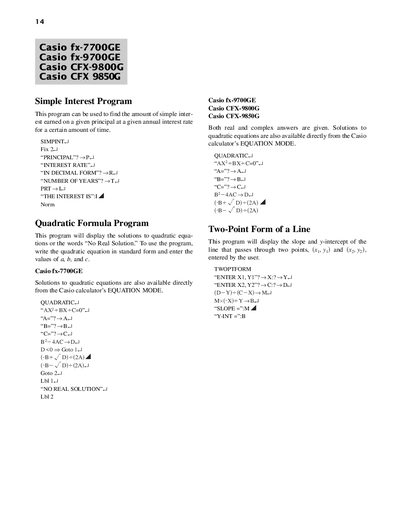
This document contains a collection of BASIC‑style programs for Casio scientific calculators. Each program includes input prompts and step‑by‑step instructions for calculations such as simple interest, quadratic solutions, line slope, and system of equations.
The programs also cover graphing functions, reflections, horizontal and vertical shifts, and summation of series. Users can enter the required parameters, run the program, and view results directly on the calculator display.
| Supported models | fx-7700GE, fx-9700GE, CFX-9800G, CFX-9850G |
|---|
Use the Simple Interest program, entering the principal, interest rate (in decimal form), and number of years when prompted.
Run the Quadratic program and input the coefficients a, b, and c as prompted; the program displays real or complex solutions.
Use the Graph Reflection program, enter the function in f1, then execute the program to display both the original graph and its reflection across y = x.