
Key facts
- Brand
- Yamaha
- Model
- O1V96
- Documents
- 3
- Languages
- EN
- Last added
- 2012-06-12
Start here
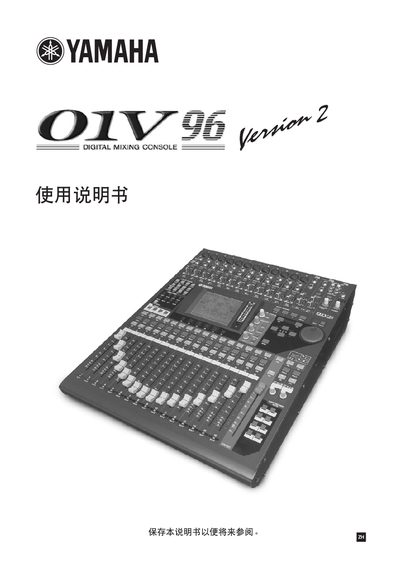
Yamaha O1V96 Digital Mixing Console User Manual
The O1V96 is a digital mixing console designed for professional audio applications. It includes features such as CD‑ROM, mini‑YGDAI I/O, and a lithium backup battery for memory retention.
This manual covers FCC compliance, safety warnings, proper wiring of the mains plug, battery handling, and contact information for Yamaha service centers. It guides users through installation steps, operation basics, and troubleshooting measures for interference or power issues.
Yamaha O1V96 specifications
| Processor (Studio Manager) | 433 MHz or faster Intel Pentium or Celeron family processor |
|---|---|
| Memory (Studio Manager) | 128 MB or more |
| Hard Disk Space (Studio Manager) | 20 MB or more of free space |
| Display Resolution (Recommended) | 1280 x 1024, High Color 16-bit recommended |
| OS (Studio Manager) | Windows 98SE, Me, 2000, XP Home Edition, XP Professional |
| Processor (Card Filer) | 100 MHz or faster Intel Pentium or Celeron family processor |
| Memory (Card Filer) | 8 MB or more |
| OS (Macintosh Studio Manager) | Mac OS 8.6 to 9.2.2 |
Source: YAMAHA O2R96/O1V96 Manual
All Yamaha O1V96 documents by type
Day-to-day operation, settings and troubleshooting. Start here if the product is already set up.
Mounting, wiring and first power-up. Read it before the hardware goes in.
Questions answered in these manuals
What operating systems are supported for Studio Manager?
Supported Windows versions include 98SE, Me, 2000, XP Home Edition, and XP Professional.
Is Mac OS X supported for Studio Manager?
No, the guide states that Mac OS X is not supported.
How must the mains plug be wired for this console?
Connect the green‑yellow wire to the earth terminal (E), the blue wire to the neutral terminal (N), and the brown wire to the live terminal (L).
What are the colour codes for the mains lead wires?
The earth wire is green‑and‑yellow, the neutral wire is blue, and the live wire is brown.
From: Yamaha O1V96 User Manual
How should the lithium battery be disposed of?
Do not throw the battery away; instead, return it as small chemical waste to your retailer or Yamaha service center.
From: Yamaha O1V96 User Manual