
Key facts
- Brand
- SONY
- Model
- RM-V202
- Industry
- Electronics
- Documents
- 2
- Languages
- EN
- Last added
- 2012-05-02
Start here
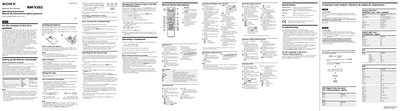
Sony RM-V202 Remote Commander User Manual
The Sony RM‑V202 Remote Commander User Manual explains how to set up the remote for Sony and non‑Sony components, install batteries, and program component codes. It includes step‑by‑step procedures for entering and checking codes, searching for the correct code, and changing button assignments for CBL/SAT and DVD functions.
Additional sections cover operating each type of component (TV, VCR, cable box, DVD, etc.), notes on battery handling, a full remote button description, troubleshooting tips, and customer support contact information.
SONY RM-V202 specifications
| Operable distance | Approx. 7 m (23 ft) |
|---|---|
| Battery life | Approx. 6 months |
| Dimensions | 55 × 200 × 32 mm (W × H × D) |
| Mass | Approx. 95 g (3.4 oz) |
All SONY RM-V202 documents by type
Day-to-day operation, settings and troubleshooting. Start here if the product is already set up.
Questions answered in these manuals
How long will the batteries last under normal use?
The batteries are rated for about six months of normal operation.
What is the maximum operating distance of the remote?
The remote works up to approximately seven meters (about 23 feet) from the component.
How do I install the batteries in the RM‑V202 remote?
Open the battery compartment and insert two size AA (R6) batteries, making sure the polarity matches the markings.