
Key facts
- Brand
- SONY
- Model
- DSC-QX30
- Category
- Digital cameras
- Industry
- Electronics
- Documents
- 2
- Languages
- ZH
- Last added
- 2026-10-15
Start here
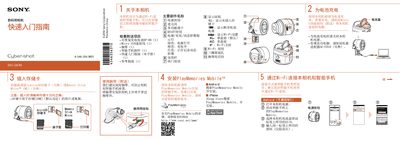
Sony DSC-QX30 Quick Start Guide
Quick Start Guide 2 pages · 1.7 MB · ZH
The Sony DSC-QX30 is a digital camera designed to connect wirelessly to smartphones. Before use, users must charge the NP-BN battery using the included Micro USB cable or an AC adapter, and install the PlayMemories Mobile application on their smartphone (Android or iPhone). This manual is written in Chinese.
Read onlineSony DSC-QX30 specifications
| Dimensions (CIPA standard) | 68.4 mm × 65.1 mm × 57.6 mm (L/H/W) |
|---|---|
| Weight (with battery and Memory Stick Micro) | Approximately 193 g |
| Battery Type | Rechargeable battery NP-BN, 3.6 V |
| Maximum Charging Voltage | DC 4.2 V |
| Maximum Charging Current | 0.9 A |
| Still Image Capture (CIPA standard) | Approximately 200 images |
| Standard Dynamic Video Recording Time | Approximately 25 minutes |
All Sony DSC-QX30 documents by type
Quick Start Guide 1
The shortest path to a working setup, usually only a few pages.
User Manual 1
Day-to-day operation, settings and troubleshooting. Start here if the product is already set up.
Questions answered in these manuals
What storage cards are compatible with this camera?
You must insert a microSD card or Memory Stick Micro (M2) before shooting.
How do I charge the battery if I do not have a computer?
Use the optional power adapter AC-UD10 to charge the battery.
How can wireless network functionality be temporarily turned off?
Set the Wi-Fi setting to [Wi-Fi OFF] using the Wi-Fi button.
What is the maximum charging voltage for this camera?
The maximum charging voltage is DC 4.2 V.