
Sony DSC-QX30 Quick Start Guide

This guide covers charging the battery, installing PlayMemories Mobile, connecting via Wi-Fi, and taking photos with the Sony DSC-QX30 camera.
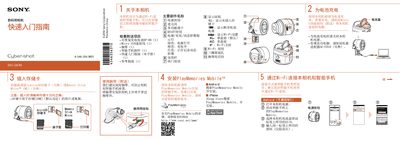

Sony DSC-QX30 Quick Start Guide - cover page
Brand
SONY
Category
Digital cameras
Document type
Quick Start Guide
Language
Chinese
Pages
2
File format
PDF
File size
1.7 MB
Published
15 October, 2026
Updated
15 October, 2026
MD5 checksum
AE71E448829DF15288F6B765B16C055D

About this manual

The Sony DSC-QX30 is a digital camera designed to connect wirelessly to smartphones. Before use, users must charge the NP-BN battery using the included Micro USB cable or an AC adapter, and install the PlayMemories Mobile application on their smartphone (Android or iPhone). This manual is written in Chinese.

What's inside

  • Inserting Memory Card
  • Charging Battery
  • Installing PlayMemories Mobile
  • Connecting via Wi-Fi
  • Attaching to Smartphone
  • Taking Photos

Frequently asked questions

What storage cards are compatible with this camera?

You must insert a microSD card or Memory Stick Micro (M2) before shooting.

How do I charge the battery if I do not have a computer?

Use the optional power adapter AC-UD10 to charge the battery.

What happens to images saved at 20M resolution by default?

[20M] images are saved to the camera's storage card and do not transmit automatically.

Download PDF (1.7 MB)

More SONY Manuals


View all SONY manuals →