
Key facts
- Brand
- Olympus
- Model
- TOUGH-6000
- Category
- Digital cameras
- Industry
- Electronics
- Documents
- 3
- Languages
- EN
- Last added
- 2012-06-08
Start here
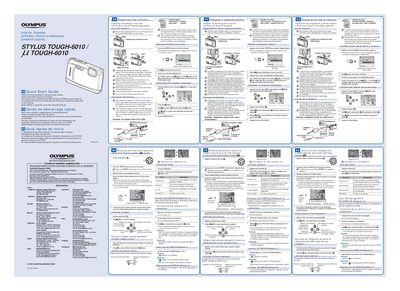
OLYMPUS STYLUS TOUGH-6000 TOUGH-6000 digital camera user guide
This document is a Quick Start Guide for the Olympus STYLUS TOUGH-6010 digital camera. It provides instructions on preparing the camera by loading the battery and xD-Picture Card, setting the date and time, and changing the display language.
The guide details how to charge the included battery using the AC adapter (F-1AC), noting that charging takes approximately 2.5 hours for a full charge. It also explains the procedure for inserting the card correctly and turning on the camera.
All Olympus TOUGH-6000 documents by type
Day-to-day operation, settings and troubleshooting. Start here if the product is already set up.
The shortest path to a working setup, usually only a few pages.
Questions answered in these manuals
What is included in the camera box?
The box contains a digital camera, USB cable, AV cable, LI-S0B Lithium ion Battery, OLYMPUS Master 2 CD-ROM, and a LI-S0C Battery Charger.
From: Olympus STYLUS TOUGH-6000 Digital Camera Instruction Manual
Where can I find information on using OLYMPUS Master 2?
Information on using OLYMPUS Master 2 is located in the section titled Using OLYMPUS Master 2.
From: Olympus STYLUS TOUGH-6000 Digital Camera Instruction Manual
What accessories are included in the box?
The package includes a digital camera, USB cable, AV cable, LI-S0B Lithium ion Battery, OLYMPUS Master 2 CD-ROM, LI-S0C Battery Charger, and microSD Attachment.
From: Olympus STYLUS TOUGH-6000/LL Digital Camera Instruction Manual
How do I access the menu guide for a selected option?
Press and hold the DISP./@/*4 button to display an explanation (menu guide) of the selected option.
From: Olympus STYLUS TOUGH-6000/LL Digital Camera Instruction Manual
How long does it take to fully charge the battery?
It takes approximately 2.5 hours to charge the battery until the indicator turns blue.
From: OLYMPUS STYLUS TOUGH-6000 TOUGH-6000 digital camera user guide
What should I do if the charging indicator lights in both orange and blue?
The connections may be incorrect, or the battery, camera, and/or AC adapter may be damaged.
From: OLYMPUS STYLUS TOUGH-6000 TOUGH-6000 digital camera user guide