
Key facts
- Brand
- Olympus
- Model
- C-70
- Category
- Digital cameras
- Industry
- Electronics
- Documents
- 3
- Languages
- EN · ZH
- Last added
- 2012-06-08
Start here
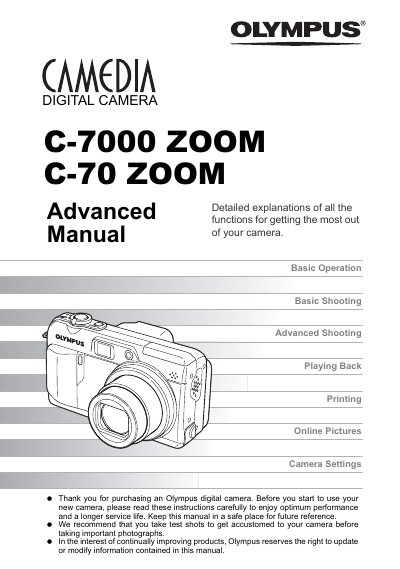
Olympus C-7000 ZOOM/C-70 ZOOM Advanced Detailed Explanations Manual
This document serves as the Advanced Manual for the Olympus Camedia Digital Camera models C-7000 ZOOM and C-70 ZOOM. It is designed for users who have already mastered basic operations and wish to explore deeper capabilities of their device. The guide provides detailed explanations on advanced shooting modes such as aperture priority, shutter priority, and manual exposure, along with sophisticated features like time-lapse shooting, panorama mode, and remote control functionality.
Read onlineOlympus C-70 specifications
| Storage Media | xD‑Picture Card |
|---|---|
| Optical Zoom | Optical zoom |
| Digital Zoom | Digital zoom |
| ISO Sensitivity | ISO 感光度 |
Source: Olympus C-7000 ZOOM C-70 ZOOM Digital Camera User Manual
All Olympus C-70 documents by type
Day-to-day operation, settings and troubleshooting. Start here if the product is already set up.
Questions answered in these manuals
What type of memory card does this camera use?
Pictures taken with this camera are stored on an xD-Picture Card.
From: Olympus C-7000 ZOOM/C-70 ZOOM Advanced Detailed Explanations Manual
What type of memory card is required for this camera?
Pictures taken with this camera are stored on an xD-Picture Card.
From: Olympus C-7000 ZOOM/C-70 ZOOM Advanced Detailed Explanations Manual
How can I print photos directly from the camera?
Use a PictBridge‑compatible printer to print images directly from the camera.
From: Olympus C-7000 ZOOM C-70 ZOOM Digital Camera User Manual
How do I connect the camera to a computer?
Install Olympus Master software on the computer and use it to download, view, edit and print images from the camera.
From: Olympus C-7000 ZOOM C-70 ZOOM Digital Camera User Manual
How do I transfer images to a computer?
Install Olympus Master software on your PC and use it to download, edit, view, and print images from the camera.
What shooting modes are available?
The camera offers five scene modes plus manual, aperture‑priority, shutter‑priority, and other advanced shooting options.