
Key facts
- Brand
- Olympus
- Model
- C-765
- Category
- Digital cameras
- Industry
- Electronics
- Documents
- 3
- Languages
- EN · ZH
- Last added
- 2012-06-08
Start here
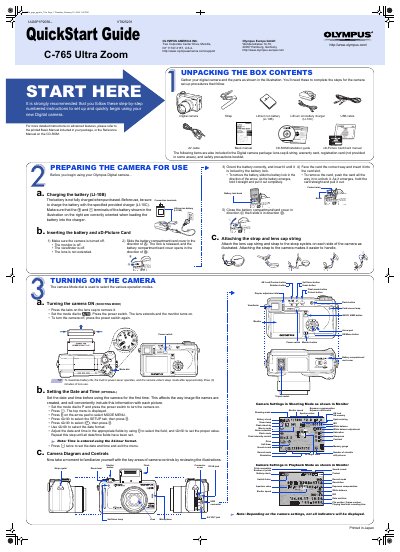
Olympus C-765 Ultra Zoom QuickStart Guide
This document serves as a QuickStart Guide for the Olympus C-765 Ultra Zoom digital camera. It provides step-by-step instructions for unpacking the box contents, preparing the camera for use, and setting up the device. Key initial steps include charging the included LI-10B battery using the LI-10C charger and inserting the battery and xD-Picture Card into the camera.
Read onlineOlympus C-765 specifications
| Memory Card Type | xD-Picture Card |
|---|---|
| Memory Card Capacity Range | 16 MB to 512 MB |
| Image Resolution | 2288x1712 |
All Olympus C-765 documents by type
Day-to-day operation, settings and troubleshooting. Start here if the product is already set up.
The shortest path to a working setup, usually only a few pages.
Questions answered in these manuals
What is included in the camera package?
The package includes the camera, strap, lens cap & string, warranty card, registration card, safety precautions booklet, AV cable, basic manual, CD-ROM, and installation guide.
What items are included in the Olympus C-765 Ultra Zoom package?
The package includes the digital camera, a strap, a lithium ion battery, a lithium ion battery charger, a USB cable, an AV cable, a basic manual, a CD-ROM with an installation guide, a lens cap with string, a warranty card, a registration card, and a safety precautions booklet.
How do I insert and remove the battery and memory card?
Insert and remove the battery and memory card according to the instructions in the preparation section.
How do I print photos directly from the camera?
Use the PictBridge function to connect the camera to a printer and print images directly.