
Key facts
- Brand
- Logitech
- Model
- G910
- Category
- Mouse keyboard
- Industry
- Computers
- Documents
- 2
- Languages
- EN
- Last added
- 2026-11-16
Start here
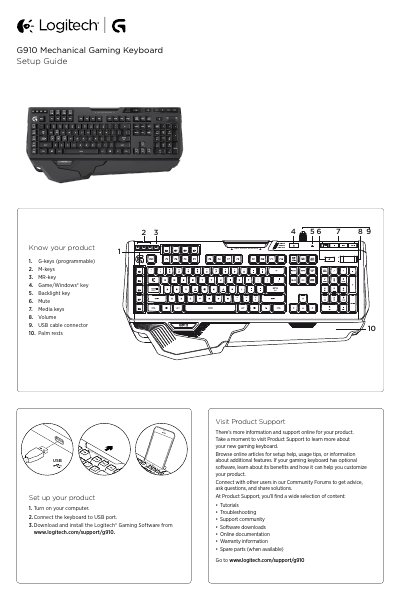
Logitech G910 Mechanical Gaming Keyboard Setup Guide
The Logitech G910 Mechanical Gaming Keyboard Setup Guide covers product identification, USB setup, programmable G-keys and M-keys, game mode, backlighting, and troubleshooting. It also points users to online product support, tutorials, software downloads, and community resources.
Read onlineLogitech G910 specifications
| Programmable G-keys | 9 |
|---|---|
| M-keys | 3 |
| Programmable functions per game | Up to 27 |
Source: Logitech G910 Mechanical Gaming Keyboard Setup Guide
All Logitech G910 documents by type
The shortest path to a working setup, usually only a few pages.
Day-to-day operation, settings and troubleshooting. Start here if the product is already set up.
Questions answered in these manuals
How do I set up the Logitech G910 keyboard?
Turn on your computer, connect the keyboard to a USB port, then download and install the Logitech Gaming Software.
How do I record a macro on a G-key?
Press the MR key, press a G-key, type the keys to record, then press the MR key again.
How do I set up the webcam?
Place the webcam, connect it to a USB port, and follow the on‑screen prompts to install the software.
How do I install the Logitech software?
When prompted, connect your webcam and run the installer to install both the Logitech Webcam Software and Logitech Vid HD.