
Key facts
- Brand
- Logitech
- Model
- Z-5500
- Category
- Home Speakers
- Industry
- Computers
- Documents
- 2
- Languages
- EN
- Last added
- 2012-05-07
Start here
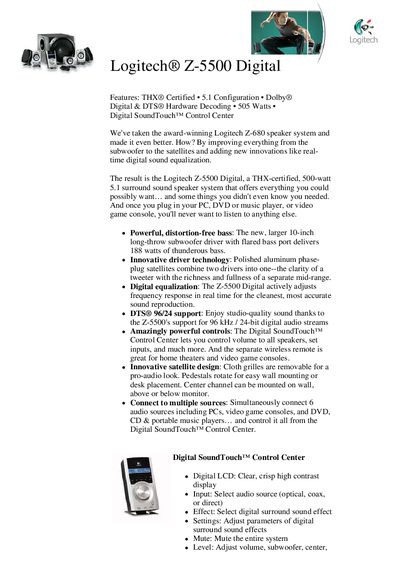
Logitech Z-5500 Digital Speaker System Product Leaflet
The Z‑5500 Digital speaker system delivers THX‑certified 5.1 surround sound with a powerful 10‑inch subwoofer and polished‑aluminum phase‑plug satellites. It features real‑time digital equalization, a hardware Dolby® Digital/DTS® decoder, and the Digital SoundTouch™ Control Center for easy source selection, volume, and effect adjustments.
The package includes four satellite speakers, a center channel, a subwoofer, a 6‑channel direct cable, the Digital SoundTouch™ control center, a wireless remote, and a user’s manual. The system supports multiple audio sources such as PC/Mac, DVD, PlayStation®2, Xbox®, and portable media players.
Logitech Z-5500 specifications
| Total RMS power | 505 watts RMS |
|---|---|
| Satellite power | 317 watts RMS (2 × 62 W front, 2 × 62 W rear, 69 W center) |
| Subwoofer power | 188 watts RMS |
| Maximum SPL | >115 dB |
| Frequency response | 33 Hz – 20 kHz |
| Signal‑to‑noise ratio | >93.5 dB, typical 100 dB |
Source: Logitech Z-5500 Digital Speaker System Product Leaflet
All Logitech Z-5500 documents by type
Disassembly, diagnostics and part numbers, for repair.
Questions answered in these manuals
What is the total RMS power of the Z‑5500 Digital?
The system provides 505 watts RMS total power.
From: Logitech Z-5500 Digital Speaker System Product Leaflet
Can I extend the speaker cables?
Yes. Purchase standard speaker cables to extend the connections.
How do I mute the speakers?
Press the mute button; the speakers will mute and the LCD will display ‘Mute On’. They unmute when volume is adjusted or other buttons are pressed.