
Key facts
- Brand
- Logitech
- Model
- Harmony 650
- Industry
- Appliances
- Documents
- 4
- Languages
- EN · PT
- Last added
- 2026-10-20
Start here
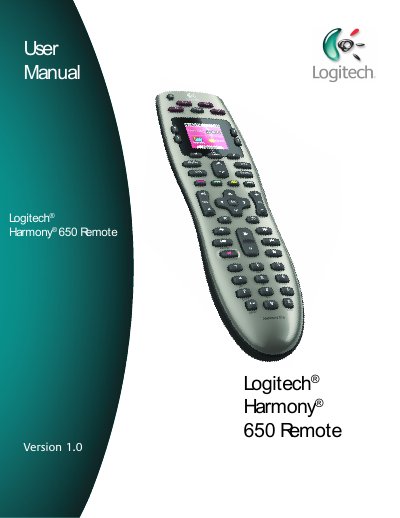
Logitech Harmony 650 Remote User Manual
This user manual provides step‑by‑step instructions for setting up the Logitech Harmony 650 remote, configuring devices, creating Activities, and using on‑screen features. It also covers how to update firmware, adjust backlight timing, and maintain the remote.
The guide includes detailed descriptions of each button, how to control devices individually, and troubleshooting tips such as using the Help button to resync the remote with your entertainment system.
Logitech Harmony 650 specifications
| LCD Size | 1.5" Diagonal |
|---|---|
| LCD Resolution | 128 x 128 |
| LCD Screen Colors | 65,000 Color |
| Power Source | AA batteries |
| IR Transmission Range | Up to 50 ft |
| Memory Type | Flash Memory |
| Weight | 6 oz (with battery installed) |
All Logitech Harmony 650 documents by type
Day-to-day operation, settings and troubleshooting. Start here if the product is already set up.
Questions answered in these manuals
How do I fix a sync problem with my Harmony 650?
Press the Help button, answer the questions on the screen, and follow the instructions to re-send commands.
Can I control more than one device at once?
Yes, you can use Activities to turn on multiple required devices with a single button press.
How many devices can the Harmony 650 control?
The Harmony 650 can be configured with Harmony software to control up to 5 devices.
Do I need to turn off devices before switching Activities?
No, it is not necessary to turn off devices to switch between Activities; the Harmony 650 ensures the appropriate devices are on or off.
What is the Harmony 650 key map designed for?
It is designed for use with the INT-IReTV-01 USB IR Receiver.
From: Logitech Harmony 650 Key Map for INT-IReTV-01 USB IR Receiver
Which devices does the Harmony 650 key map support?
It supports Fire TV and Nvidia Shield.
From: Logitech Harmony 650 Key Map for INT-IReTV-01 USB IR Receiver