
Key facts
- Brand
- Logitech
- Model
- M500
- Documents
- 2
- Languages
- EN
- Last added
- 2012-05-07
Start here
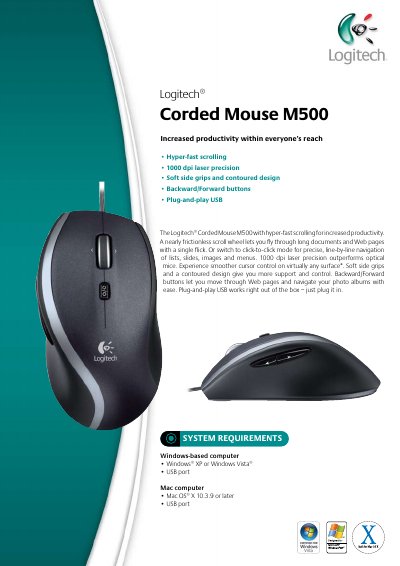
Logitech M500 Corded Mouse Quick Start Guide
The M500 Corded Mouse offers hyper‑fast scrolling, 1000 dpi laser precision, soft side grips, and backward/forward navigation buttons. It works via plug‑and‑play USB, so it can be used immediately on compatible Windows or Mac computers.
The package includes the mouse, a quick‑start guide, and a three‑year guarantee. System requirements list Windows XP/Vista and Mac OS X 10.3.9 or later. Physical dimensions and weight are also provided.
Logitech M500 specifications
| Resolution | 1000 dpi laser |
|---|---|
| Interface | Plug‑and‑play USB |
| Weight | 350 g |
| Length | 16.2 cm |
| Width | 6.7 cm |
| Height/Depth | 22.6 cm |
All Logitech M500 documents by type
The shortest path to a working setup, usually only a few pages.
Day-to-day operation, settings and troubleshooting. Start here if the product is already set up.
Questions answered in these manuals
What is the DPI of the Logitech M500 mouse?
It provides 1000 dpi laser precision.
Do I need to install drivers for the M500 mouse?
No, it is plug‑and‑play USB and works right out of the box.
What operating systems are supported by the QuickCam 5000?
The software can only be used on PCs with Microsoft Windows XP or Windows 2000 installed; Windows XP must have Service Pack 2 or later.