
Key facts
- Brand
- Logitech
- Model
- Harmony 300
- Category
- Other Electronics
- Documents
- 2
- Languages
- EN
- Last added
- 2023-11-16
Start here
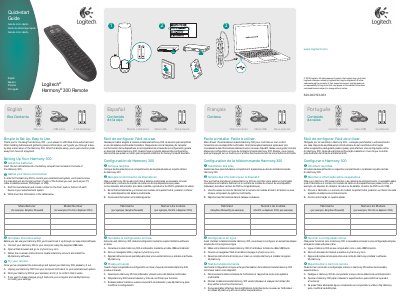
Logitech Harmony 300 Remote Quick-start Guide
This guide walks users through setting up the Logitech Harmony 300 universal remote. It begins with inserting two AA batteries, then collecting manufacturer and model numbers for each entertainment device, followed by connecting the remote to a computer via USB and completing the online setup at myharmony.com.
After syncing, the user tests the remote by pointing it at the television. If adjustments are needed, the remote can be reconnected to the computer and settings modified using the My Harmony software. The document also lists box contents: the remote, two AA batteries, and a USB cable.
Logitech Harmony 300 specifications
| Battery type | 2 AA batteries |
|---|---|
| Included cable | USB cable |
| Warranty period | 1 year |
All Logitech Harmony 300 documents by type
The shortest path to a working setup, usually only a few pages.
Questions answered in these manuals
How do I install batteries in the Harmony 300?
Insert two AA batteries into the battery compartment on the back of the remote.
What is included in the box?
The box contains the Harmony 300 remote, two AA batteries, and a USB cable.
How do I install the batteries in the Harmony 300?
Insert the two AA batteries into the battery compartment located at the back of the remote.