
Key facts
- Manuals
- 76
- Models
- 5
- Categories
- 8
- Languages
- ZH · EN
- Last added
- 2026-10-03
Logitech models by category
Featured Logitech manuals

Logitech H151 Stereo Headset User Manual
This manual introduces the Logitech H151 stereo headset, describing its key features such as a noise‑canceling microphone, rotating boom, adjustable headband, volume control, mute switch, and a single combined audio plug. It also lists the contents of the package and provides important safety, compliance, and warranty information.
Detailed sections guide users through connecting the headset to computers, tablets, or smartphones, troubleshooting common issues, and complying with RoHS regulations. The document includes contact information for Logitech support and warranty details. This manual is written in Chinese.
Covers: What’s in the box · Important Safety, Compliance and Warranty Information · Headset features · Setup / Connect the headset · Help with setup · Packaging contents
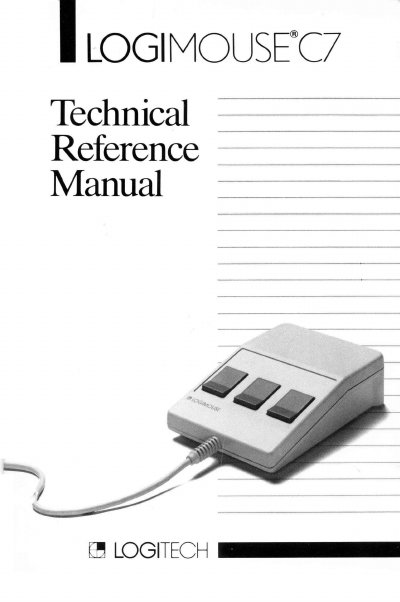
Logitech C7 Mouse Technical Reference Manual
The Logitech C7 Technical Reference Manual introduces the LOGIMOUSE C7 serial mouse, describing its opto‑mechanical design, low‑power CMOS technology, and available interfaces. It explains how the mouse translates ball movement into X/Y data and outlines the firmware version 3.0 used in this document.
The manual covers installation steps, operating instructions, detailed specifications (physical dimensions, electrical requirements, performance), connector pin assignments, supported data formats and reporting modes, command reference, jumper settings, and compatibility with other mouse protocols such as Microsoft, Mouse Systems, and Summagraphics.
Covers: Introducing LOGIMOUSE · Installation · Operating the Mouse · Specifications · Connector Pin Assignments · Serial Interface Operations
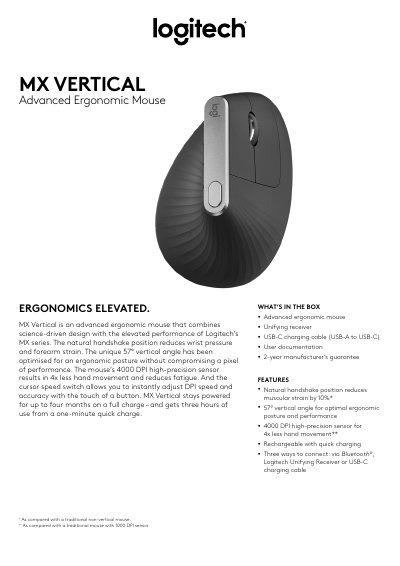
Logitech MX Vertical Ergonomic Mouse Product Leaflet
The MX Vertical is an advanced ergonomic mouse with a natural handshake position and a 57° vertical angle that reduces wrist pressure and forearm strain. It offers a 4000 DPI high‑precision sensor, three connectivity options (Bluetooth®, Logitech Unifying Receiver, USB‑C), and a rechargeable Li‑Po battery that lasts up to four months on a full charge.
The package includes the mouse, Unifying receiver, USB‑C charging cable, user documentation, and a 2‑year manufacturer’s guarantee. Technical specifications cover sensor DPI range, customizable buttons, battery capacity, wireless range, dimensions, weight, and system requirements for Windows and macOS platforms.
Covers: WHAT’S IN THE BOX · FEATURES · ERGONOMICS · PACKAGE SPECIFICATIONS · SYSTEM REQUIREMENTS · TECHNICAL SPECS
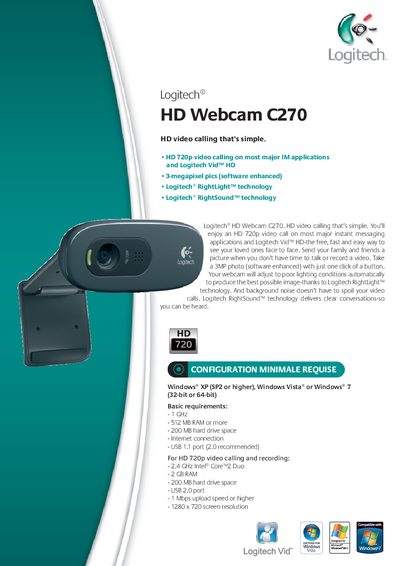
Logitech C270 HD Webcam Product Leaflet
The Logitech C270 HD Webcam provides 720p HD video calling and 3‑megapixel photos with RightLight™ and RightSound™ technologies. It connects via USB 2.0 and includes a 5‑foot cable, headset, software, and documentation.
The leaflet details minimum and recommended system requirements, including Windows XP/ Vista/ 7, a 1 GHz CPU, 512 MB RAM (minimum) or 2 GB RAM (recommended), and a USB 2.0 port for optimal performance. Package dimensions, weight, and barcode information are also provided.
Covers: System Requirements · Features · Package Contents · Technical Specifications · Package Specifications
Latest Logitech manuals
Logitech H151 Stereo Headset User Manual
User Manual 12 pages · 918 KB · ZHThe Logitech H151 stereo headset user manual provides safety guidelines, setup instructions, feature overview, and troubleshooting tips.
Logitech C7 Mouse Technical Reference Manual
User Manual 36 pages · 1.1 MB · ENThe Logitech C7 Technical Reference Manual provides installation, operation, specifications, and command details for the serial LOGIMOUSE C7.
Logitech MX Vertical Ergonomic Mouse Product Leaflet
Product Leaflet 2 pages · 240 KB · ENThe Logitech MX Vertical ergonomic mouse product leaflet outlines features, specifications, box contents, and system requirements.
Logitech C270 HD Webcam Product Leaflet
Product Leaflet 2 pages · 811 KB · ENThe Logitech C270 HD Webcam product leaflet lists system requirements, specifications, and package contents.
Logitech Video Collaboration Solutions Product Overview
Product Leaflet 6 pages · 1.1 MB · ENAn overview of Logitech's video collaboration solutions, including video bars, conference cameras, whiteboard cameras, touch controllers, and software services.
Logitech OnePres Wireless Screen Sharing Kit User Manual
User Manual 17 pages · 1.3 MB · ZHThe Logitech OnePres User Manual explains how to set up and use the wireless screen sharing kit for single, dual, and extended screen sharing.
Logitech H151 Stereo Headset User Manual
User Manual 19 pages · 1.3 MB · ENThe Logitech H151 Stereo Headset User Manual provides setup steps, safety guidelines, warranty information, and troubleshooting tips.
Logitech Spotlight Software Installation Guide
Installation Guide 10 pages · 862 KB · ENStep‑by‑step guide for installing and configuring Logitech Spotlight software on Windows or Mac laptops.
Logitech MX Master 2S Mouse User Guide
User Manual 9 pages · 515 KB · ENThe Logitech MX Master 2S Mouse User Guide explains setup, features, gestures, and battery management for the wireless mouse.
Logitech Spy Camera Add-On
This PDF file introduces the use of Logitech® WiLife Command Center software, including the Live and Playback main interfaces, and how to set up cameras and how to watch videos online.
Logitech 1.3 MP Webcam C300
The Logitech® 1.3 MP Webcam C300 is a feature-rich webcam that provides a richer, more vibrant image and fluid video. It features a 1.3-megapixel sensor and 5-megapixel photo capture for high-resolution snapshots. Logitech® Video Effects™ Fun Filters allow users to add various effects to their videos. The built-in microphone with Logitech® RightSound™ technology offers clear, headset-free conversations. The webcam also comes with the easy-to-use video calling software Logitech® Vid™.
Logitech Squeezebox Boom Audio Design Caleb Crome Sr. Hardware Engineer Logitech Inc.
This paper introduces the Logitech Squeezebox Boom audio design. It is a network music player with built-in speakers, featuring advanced digital signal processing, high-quality bi-amplified speaker design, and an easy-to-use user interface.
Logitech MX700 Manual
Instruction manual, introduces the use of MX 700 mouse
Logitech MX 5500 Revolution Manual
Logitech® Cordless Desktop® MX™ 5500 Revolution is a high-performance Bluetooth keyboard and mouse combo, with a rechargeable laser mouse that features hyper-fast scrolling for flying instantly through long documents. The keyboard has an integrated dynamic display for accessing key information and the combo uses Bluetooth® 2.0 technology to ensure a fast, reliable connection from up to 20 m (60 ft) away.
Logitech Z-5500 Digital
Logitech® Z-5500 Digital is a THX® certified 5.1 surround sound speaker system with 500 watts of output power and a digital SoundTouch™ control center. This system features powerful, distortion-free bass, innovative driver technology, digital equalization, and support for DTS® 96/24 audio streams.
Which document do I need?
User Manual
Day-to-day operation, settings and troubleshooting. Start here if the product is already set up.
Installation Guide
Mounting, wiring and first power-up. Read it before the hardware goes in.
Questions answered in Logitech manuals
How do I connect the Logitech H151 headset to my device?
Insert the 3.5 mm plug into the single headphone & microphone jack on your computer, tablet or smartphone.
What interface does the LOGIMOUSE C7 use?
The LOGIMOUSE C7 interfaces through the RS232 serial port and can also be configured for a parallel interface.
What are the physical dimensions of the mouse?
The mouse measures 27 mm high, 96.5 mm long, 68 mm wide and weighs 135 g without the cable.
What is included in the MX Vertical box?
The box contains the MX Vertical ergonomic mouse, a Unifying receiver, a USB‑C charging cable, user documentation, and a 2‑year manufacturer’s guarantee.
How long does the battery last on a full charge?
The mouse stays powered for up to four months on a full charge and provides three hours of use after a one‑minute quick charge.
What are the minimum system requirements for the Logitech C270 webcam?
The minimum requirements are Windows XP (SP2) or later, a 1 GHz CPU, 512 MB RAM, 200 MB free disk space, an Internet connection, and a USB 1.1 port (USB 2.0 recommended).