
Key facts
- Brand
- Logitech
- Model
- M905
- Category
- Mouse keyboard
- Industry
- Computers
- Documents
- 2
- Languages
- ZH · EN
- Last added
- 2012-03-13
Start here
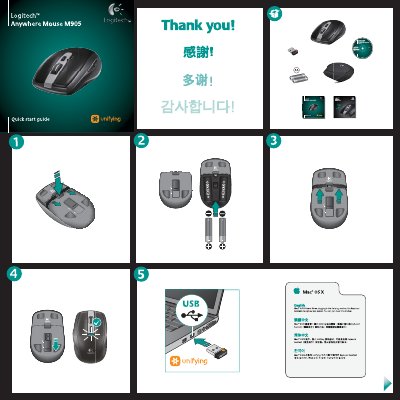
Logitech Anywhere Mouse M905 Quick Start Guide
This Quick Start Guide introduces the Logitech Anywhere Mouse M905 and explains how to get it up and running quickly. It includes instructions for installing the Unifying receiver, powering the mouse, and basic usage tips.
Key sections cover checking the power slider, verifying battery polarity, connecting the Unifying receiver, and troubleshooting common issues such as a non‑moving pointer or erratic movement. Contact information for Logitech support is also provided.
Logitech M905 specifications
| Battery requirement | One battery |
|---|---|
| Surface compatibility | Works on glass tables |
| Receiver storage | Can be stored inside the mouse |
Source: Logitech M905 Mouse User Manual
All Logitech M905 documents by type
Day-to-day operation, settings and troubleshooting. Start here if the product is already set up.
The shortest path to a working setup, usually only a few pages.
Questions answered in these manuals
How many batteries does the M905 need?
One battery is enough for normal operation.
Can the mouse be used on glass surfaces?
Yes, it works on glass tables thanks to Logitech Darkfield Laser Tracking.
What should I do if the pointer does not move at all?
Make sure the power slider is ON, check battery polarity and replace batteries if needed, try a different USB port for the receiver, and reconnect using the Logitech Unifying software.
How can I fix erratic pointer movement or missed button clicks?
Remove metallic objects between the mouse and receiver, avoid using a USB hub, move the receiver closer to the mouse, or use a USB extension stand.