
Key facts
Start here
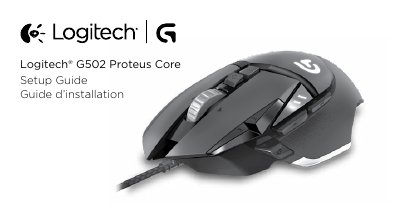
Logitech G502 Proteus Core Setup Guide
This document serves as a setup guide for the Logitech G502 Proteus Core gaming mouse. It details how to adjust the mouse's weight and balance using the included weights and explains how to open and close the weight door. The guide also covers the initial configuration of the sensor for optimal performance across various surfaces.
Read onlineLogitech G502 Proteus Core specifications
| Weight Capacity | up to five 3.6 gram weights |
|---|---|
| Default DPI | 2400 |
| Reports/sec | 1000 or 500 |
All Logitech G502 Proteus Core documents by type
Day-to-day operation, settings and troubleshooting. Start here if the product is already set up.
Questions answered in these manuals
How do I adjust the weight of the G502?
Open the weight door by pulling the blue tab down with your left thumb, insert the weights, and close the door by rotating it down until the magnet holds it.
How can I customize the G502?
You can customize the three onboard profiles for surface tuning, button programming, and tracking behavior using the Logitech Gaming Software.
How can I adjust the weight and balance of the G502?
Open the weight door by holding the mouse in your right hand and pulling the blue tab down with your left thumb.
How many weights can be placed in the mouse and what is their weight?
You can place up to five 3.6 gram weights in various orientations.