
Key facts
- Brand
- Grandstream
- Model
- GXP2140
- Industry
- Computers
- Documents
- 2
- Languages
- ZH
- Last added
- 2026-11-13
Start here
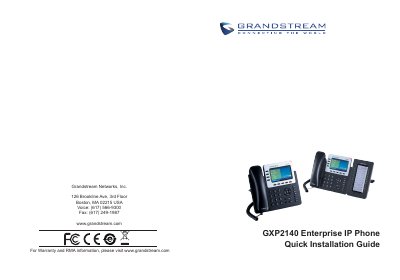
Grandstream GXP2140 Enterprise IP Phone Quick Installation Guide
The Grandstream GXP2140 is a next-generation enterprise IP phone featuring up to 4 lines, a 4.3-inch TFT color LCD, dual Gigabit network ports, integrated PoE, and Bluetooth. It delivers superior HD audio quality and supports advanced functionalities like 5-way conferencing and Electronic Hook Switch (EHS). The guide provides instructions for wall mounting and using the phone stand.
To set up the device, connect the handset cord, Ethernet cable, and power adapter. Once powered on, the LCD will display provisioning or firmware upgrade information. Users can configure the phone using the embedded web server or keypad menu, accessing the default administrator credentials (username: admin, password: admin) via a web browser. This manual is written in Chinese.
Grandstream GXP2140 specifications
| Display | 4.3 inch TFT color LCD |
|---|---|
| Network Ports | Dual Gigabit network ports |
| Lines | Up to 4 lines |
| Soft Keys | 5 XML programmable context-sensitive soft keys |
Source: Grandstream GXP2140 Enterprise IP Phone Quick Installation Guide
All Grandstream GXP2140 documents by type
The shortest path to a working setup, usually only a few pages.
Day-to-day operation, settings and troubleshooting. Start here if the product is already set up.
Questions answered in these manuals
What are the default administrator credentials for the GXP2140?
The default administrator username is 'admin' and the password is 'admin'.
From: Grandstream GXP2140 Enterprise IP Phone Quick Installation Guide
Does the GXP2140 support emergency calls out of the box?
No, the GXP2140 is not pre-configured to support emergency calls; users must make additional arrangements.
From: Grandstream GXP2140 Enterprise IP Phone Quick Installation Guide
How long does the phone take to boot up after connecting power?
The startup process takes approximately 90 seconds.
From: Grandstream GXP2140/GXP2160/GXP2170 IP Phone User Manual
What should I do if my phone is displaying a black screen?
Check that the phone is powered on and connected correctly to the power adapter.
From: Grandstream GXP2140/GXP2160/GXP2170 IP Phone User Manual