
The Dell W-AP90 Series Access Points are single-radio, dual-band wireless access points that support the IEEE 802.11n high-performance WLAN standard. These access points use MIMO (Multiple-in, Multiple-out) technology and other high-throughput mode techniques to achieve high-performance 802.11n 2.4 GHz or 5 GHz capability, while supporting existing 802.11a/b/g wireless services.
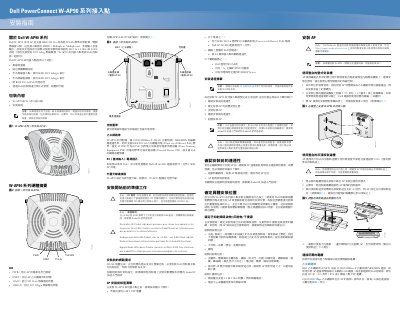
This document is the installation guide for the Dell PowerConnect W-AP90 series wireless access points. The W-AP90 series APs support the IEEE 802.11n high-efficiency WLAN standard as dual-radio, dual-band wireless access points, using MIMO (multiple-in, multiple-out) technology to deliver 802.11n operation in the 2.4GHz or 5GHz bands while also supporting existing 802.11a/b/g wireless service. The APs work only together with a Dell controller, which provides centralized management, configuration and software upgrades. The series can operate as a wireless access point or as a wireless monitor using IEEE 802.11a/b/g/n, and is compatible with IEEE 802.3af PoE.
The guide lists the package contents (a W-AP92 or W-AP95 access point and this installation guide), describes the LED indicators (PWR, ENET, 11A/N and 11B/G/N) and the connectors (console port, 10/100/1000Base-T Ethernet port with PoE, DC power jack, and external antenna connectors on the W-AP92). It then covers pre-installation network requirements, a five-step installation summary, how to identify RF absorbers, reflectors and interference sources, wall and ceiling T-bar mounting, and connecting the Ethernet cable. This manual is written in Chinese.
| WLAN standard | IEEE 802.11a/b/g/n, 2.4GHz or 5GHz, dual-radio with MIMO |
|---|---|
| Ethernet port | 10/100/1000Base-T (RJ-45), auto-sensing MDI/MDX |
| PoE support | IEEE 802.3af, 48 VDC, powered device (PD) |
| Ethernet cable | Up to 100 m (325 ft) Cat5 UTP, 4 or 8 conductors |
| LED indicators | PWR, ENET, 11A/N, 11B/G/N |
| Antennas | External antenna connectors on W-AP92; internal antennas on W-AP93 |
| Alternative power | Optional Dell AP AC-DC adapter kit when PoE is unavailable |
| Mounting | Integrated wall-mount slots or drop-ceiling T-bar slots (9/16-inch T-bar) |
The package contains a W-AP92 or W-AP95 access point and the installation guide. Keep the original packing materials in case the unit must be returned to the supplier.
It is powered via IEEE 802.3af Power over Ethernet (48 VDC) from a PoE power sourcing equipment (PSE), or, if PoE is unavailable, by the optional Dell AP AC-DC adapter kit.
Yes, the W-AP92 is designed to be used with external antennas, while the W-AP93 has internal antennas.
A Dell controller must be installed and given its initial configuration before deploying the APs, along with Layer 2/3 network connectivity, Dell Device Provisioning (ADP), a DNS server with an 'A' record, and a DHCP server with vendor-specific options.